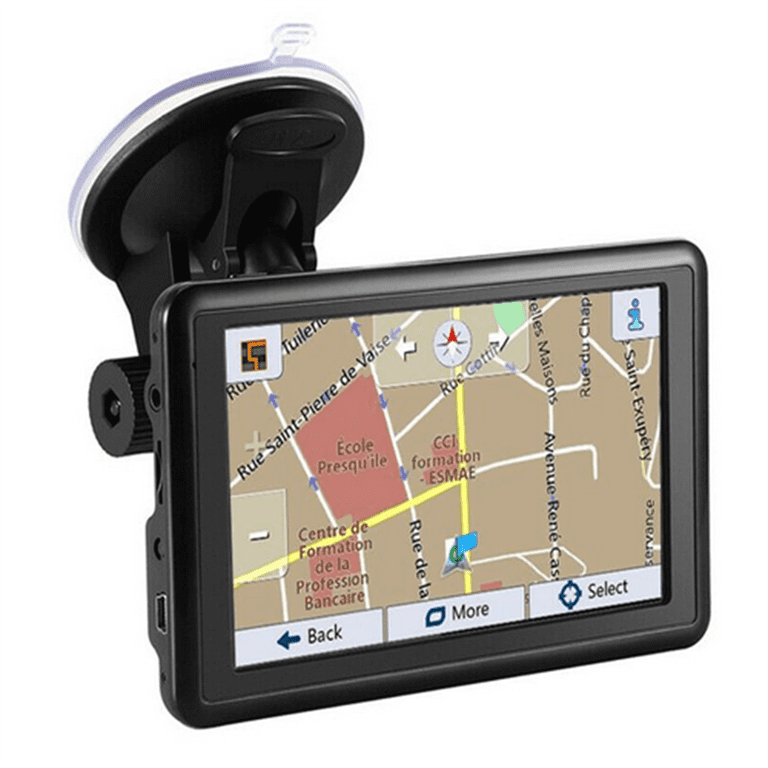
Fleet Route Planning Software: A Smarter Way to Manage Routes
Managing a fleet involves more than getting vehicles from one location to another. Dispatchers must account for delivery windows, driver availability, vehicle capacity, traffic, road restrictions, and changing customer needs. Fleet route planning software helps bring these factors together, making it easier to plan, adjust, and monitor routes.
What Is Fleet Route Planning Software?
Fleet route planning software helps businesses create efficient routes for multiple vehicles. Instead of planning each trip manually, teams can enter details such as stops, schedules, vehicle types, and delivery requirements. The software uses those inputs to suggest routes and organize assignments.
Depending on the system, it may also support dispatching, live vehicle tracking, driver communication, delivery status updates, and reporting. Features vary, so businesses should compare tools based on their specific operations.
How Route Planning Software Works
A typical planning process starts with information about the day’s work. This may include customer addresses, pickup and delivery times, service durations, vehicle capacity, and driver schedules. The software uses these details to group stops and calculate routes that meet operational requirements.
Many platforms can account for current or historical traffic information. If a delay, new order, or schedule change occurs, a dispatcher may be able to revise routes and share updated instructions with drivers. Some systems also allow drivers to send progress updates from the road.
Key Benefits for Fleet Operations
More Efficient Routes
Planning multiple stops manually can be time-consuming and difficult to optimize. Route planning software can evaluate many stops and constraints at once, helping teams build practical routes and reduce unnecessary distance or backtracking.
Improved Scheduling
Route plans can include appointment windows, estimated service times, shift limits, and other scheduling requirements. This makes it easier to coordinate work and set more realistic arrival expectations.
Better Visibility
When route planning is connected to vehicle tracking or driver updates, dispatchers can see how work is progressing. Greater visibility can help teams respond to delays, communicate changes, and keep customers informed.
Lower Operating Costs
More efficient planning can help reduce avoidable mileage, fuel use, and time spent on the road. Results depend on factors such as fleet size, traffic, vehicle type, and how consistently the system is used.
Clearer Performance Insights
Reporting tools may help managers review route completion, travel time, distance, schedule adherence, and other operational measures. These insights can highlight recurring bottlenecks and inform future planning.
Features to Look For
The right software depends on the size and needs of a fleet. When evaluating options, consider whether a platform offers:
- Multi-stop route optimization: Plans routes across several vehicles and destinations.
- Scheduling constraints: Supports delivery windows, service times, driver shifts, and vehicle capacity.
- Traffic-aware planning: Uses available traffic information to support route decisions.
- Route updates: Makes it possible to adjust plans when schedules or conditions change.
- Driver tools: Provides mobile access to routes, instructions, and status updates.
- Tracking and notifications: Helps authorized users monitor progress and communicate estimated arrival times.
- Reporting: Offers useful data for reviewing performance and identifying opportunities to improve.
- System integrations: Connects with relevant dispatch, order management, customer, or fleet systems.
- Ease of use: Provides a workflow that dispatchers and drivers can learn and use consistently.
Choosing the Right Solution
Start by identifying the problems the software should solve. A local service fleet with scheduled appointments may need different capabilities from a delivery operation handling hundreds of daily stops. Consider the number of vehicles, route complexity, operating areas, customer requirements, and existing technology.
It is also useful to assess setup and ongoing support. Ask how the system handles address data, driver onboarding, training, software updates, and technical assistance. Before committing, test the platform with realistic routes and constraints. A trial can show whether its recommendations fit the way the fleet actually operates.
Tips for Successful Implementation
- Keep operational data accurate: Incorrect addresses, service times, or vehicle details can lead to poor route plans.
- Involve dispatchers and drivers: Their feedback can uncover practical needs that are not obvious during software selection.
- Set clear goals: Track relevant measures, such as miles per job, on-time performance, or planning time.
- Introduce changes gradually: A phased rollout can give teams time to learn the system and refine workflows.
- Review results regularly: Use performance data to update assumptions and improve future plans.
Conclusion
Fleet route planning software can help businesses coordinate vehicles, drivers, and stops with less manual effort. By considering scheduling requirements, vehicle constraints, and changing conditions, it can support more organized routes and better operational visibility. The best results come from choosing a solution that fits the fleet’s needs, maintaining accurate data, and involving the people who use it every day.
Fleet Route Planning Software: 6 Frequently Asked Questions
- What is fleet route planning software, and how does it work?
- How can fleet route planning software reduce fuel costs and mileage?
- What features should I look for in fleet route planning software?
- Can fleet route planning software optimize routes for multiple vehicles and stops?
- Does fleet route planning software provide real-time traffic updates and route changes?
- How much does fleet route planning software cost?
What is fleet route planning software, and how does it work?
Fleet route planning software helps businesses plan and manage routes for multiple vehicles. Users enter information such as stops, delivery time windows, vehicle capacity, and driver schedules, and the software uses these details to organize assignments and suggest efficient routes. Depending on its features, it may also account for traffic, track vehicles, share route updates with drivers, and help dispatchers adjust plans when conditions change.
How can fleet route planning software reduce fuel costs and mileage?
Fleet route planning software can reduce fuel costs and mileage by organizing stops into more efficient routes, minimizing backtracking, unnecessary detours, and excess driving. It can also account for factors such as vehicle capacity, delivery windows, and traffic conditions, helping dispatchers assign work more effectively and adjust plans when circumstances change. By reducing avoidable miles and time on the road, fleets may use less fuel and lower vehicle wear, though results depend on route data, operating conditions, and how consistently the software is used.
What features should I look for in fleet route planning software?
Look for fleet route planning software that supports multi-stop route optimization, delivery time windows, vehicle capacity and driver schedule constraints, and traffic-aware planning. Helpful features may also include real-time tracking, route updates, driver mobile apps, customer notifications, performance reporting, and integrations with your dispatch or order management systems. Prioritize tools that are easy for dispatchers and drivers to use and that fit your fleet’s size, routes, and operational needs.
Can fleet route planning software optimize routes for multiple vehicles and stops?
Yes. Fleet route planning software can optimize routes across multiple vehicles and stops by considering factors such as delivery windows, vehicle capacity, driver schedules, service times, and road conditions. It can assign stops to suitable vehicles and arrange them in an efficient order, helping reduce unnecessary travel and make schedules easier to manage. The available features vary by platform, so check that a solution supports the number of vehicles and routing constraints your fleet requires.
Does fleet route planning software provide real-time traffic updates and route changes?
Many fleet route planning platforms provide real-time traffic updates and can help dispatchers adjust routes when conditions change, such as congestion, road closures, or delays. Depending on the software, updated directions may be shared with drivers through a mobile app or in-vehicle navigation system. Features and data availability vary by provider, so check whether a platform supports live traffic, automatic rerouting, and timely driver notifications.
How much does fleet route planning software cost?
The cost of fleet route planning software varies based on fleet size, features, and pricing model. Some providers charge a monthly fee per vehicle or driver, while others offer tiered subscriptions or custom pricing for larger operations. Basic plans may cover route optimization, while advanced options can include live tracking, dispatch tools, integrations, and detailed reporting. Check for setup fees, minimum user or vehicle requirements, and costs for add-on features, then compare plans against the needs of your fleet.