Jeep Navigation System: Features, Updates, and Tips
A Jeep navigation system can help drivers find destinations, explore unfamiliar roads, and stay oriented on daily commutes or longer trips. Depending on the Jeep model and model year, navigation may be built into the vehicle’s Uconnect® infotainment system, available through a connected smartphone, or installed as an aftermarket unit.
Types of Jeep Navigation Systems
Jeep drivers may encounter several navigation options:
- Factory navigation: Some Jeep vehicles include built-in navigation through the Uconnect system. Features vary by model, trim, and year.
- Smartphone navigation: Apple CarPlay® and Android Auto™ can bring compatible navigation apps to the vehicle’s display when supported.
- Portable GPS devices: A standalone navigator can be mounted in the cabin and used independently of the vehicle’s infotainment system.
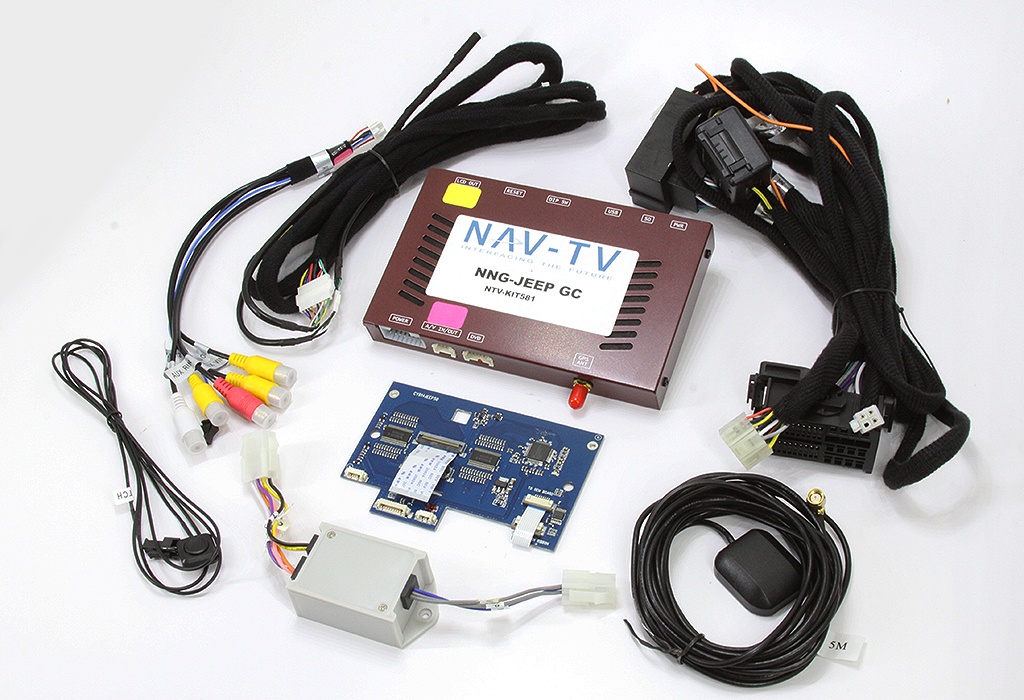
- Aftermarket systems: Some owners choose to replace or supplement the original head unit. Compatibility with the vehicle’s controls and features should be checked before installation.
Common Features
Depending on the system, Jeep navigation features may include turn-by-turn directions, voice guidance, points of interest, saved locations, and route preferences. Certain systems may also provide connected services, such as traffic information or online search, when available and enabled.
Features differ across Jeep vehicles and software versions. A system’s available maps, services, and connectivity may depend on the vehicle’s equipment, region, subscription status, and smartphone compatibility.
Keeping Maps and Software Current
Current map data can help a navigation system reflect new roads, changed intersections, and updated points of interest. The update process varies: some vehicles receive updates through connected services, while others may require a download or a visit to a dealership. Smartphone navigation apps generally update through the app provider.
Before installing an update, check the instructions for the specific Jeep model and system. Use the vehicle’s owner’s manual or official Jeep and Uconnect resources to confirm compatibility and requirements. Avoid interrupting an update once it has started.
Using Navigation on the Road
- Enter a destination before driving, or ask a passenger to make changes while the vehicle is moving.
- Use voice commands when supported, and keep your attention on the road.
- Check the route before departure, especially for long trips or travel in remote areas.
- Keep a phone charged if you rely on a smartphone app, and consider downloading offline maps where the app allows it.
- Follow posted signs and road conditions. Navigation guidance may not reflect every closure, restriction, or change in real time.
Basic Troubleshooting
If the navigation system is not working as expected, start with simple checks. Confirm that the vehicle is in an area with a clear view of the sky if GPS reception seems weak. Check the system’s volume, destination settings, and connectivity. If you are using a phone, make sure it is connected properly and that the navigation app has the permissions it needs.
For a frozen screen, missing map data, or persistent location errors, consult the owner’s manual for model-specific reset or troubleshooting steps. Avoid attempting resets or software changes while driving. If the issue continues, contact a Jeep dealership or qualified automotive electronics professional.
Choosing the Right Navigation Option
The best setup depends on how you use your Jeep. Built-in navigation can offer an integrated experience, while smartphone apps may provide familiar interfaces and frequent map updates. Portable and aftermarket devices can be useful alternatives, but installation, mounting, and compatibility should be considered.
Whichever option you choose, learn its basic controls before setting out and use it as a guide—not a replacement for attentive driving. For the most accurate information about a particular Jeep, check the vehicle’s model year, trim, owner’s manual, and available equipment.
9 Benefits of a Jeep Navigation System for Easier, More Confident Travel
- Provides turn-by-turn directions
- Helps find destinations and points of interest
- Can integrate with the vehicle’s display
- May support voice-guided navigation
- Can offer traffic-aware routing
- Works with compatible smartphone apps
- Makes unfamiliar routes easier to follow
- May include offline map options
- Supports more confident trip planning
7 Drawbacks of Jeep Navigation Systems
- Factory navigation may cost extra.
- Map updates can be inconvenient.
- Some features require a subscription.
- GPS reception may drop in remote areas.
- Touchscreen controls can distract drivers.
- Traffic data may be delayed or unavailable.
- Smartphone compatibility varies by model.
Provides turn-by-turn directions
A Jeep navigation system provides turn-by-turn directions to help drivers follow a route with clear, timely prompts. On-screen maps and voice guidance can make it easier to navigate unfamiliar streets, highway exits, and intersections while keeping your attention focused on the road.
Helps find destinations and points of interest
A Jeep navigation system makes it easier to find destinations and nearby points of interest, such as gas stations, restaurants, hotels, and trailheads. Enter an address or search for a place, and the system can provide directions to help you reach it. This can be especially useful when exploring an unfamiliar area or planning a stop along the way.
Can integrate with the vehicle’s display
A key advantage of a Jeep navigation system is its ability to integrate with the vehicle’s display. Directions, maps, and other navigation details appear on the dashboard screen, making them easier to view at a glance than on a separate device. This integrated setup can also help keep the cabin organized and, on compatible models, work alongside steering-wheel controls or voice commands for convenient operation.
May support voice-guided navigation
A Jeep navigation system may support voice-guided directions, helping drivers follow routes without constantly looking at the screen. Spoken prompts can announce upcoming turns and other route details, making navigation easier to manage while keeping attention on the road. Features vary by model and system, so check your vehicle’s manual for availability.
Can offer traffic-aware routing
A Jeep navigation system with traffic-aware routing can help you respond to changing road conditions by factoring available traffic information into your route. Depending on the vehicle, system, and connected services, it may suggest an alternate path when delays occur, helping you make more informed travel decisions. Traffic data and rerouting availability can vary, so it’s still a good idea to follow road signs and use your judgment.
Works with compatible smartphone apps
A Jeep navigation system that works with compatible smartphone apps makes it easy to use familiar tools for directions. With Apple CarPlay® or Android Auto™ available, drivers can connect a supported phone to access compatible navigation apps on the vehicle’s display, helping keep directions visible and convenient. App availability and features depend on the Jeep model, phone, and software, so check compatibility before connecting.
Makes unfamiliar routes easier to follow
A Jeep navigation system makes unfamiliar routes easier to follow by providing clear directions, turn-by-turn guidance, and helpful visual cues on the display. Instead of stopping to check a map or guess which street to take, drivers can focus on the road while the system guides them toward their destination.
May include offline map options
A Jeep navigation system may offer offline map options, allowing drivers to access downloaded maps even when cellular service is limited or unavailable. This can be especially useful on road trips through rural areas, remote trails, or regions with spotty coverage. Offline maps can help you stay oriented and follow planned routes, though features such as live traffic updates may still require an internet connection.
Supports more confident trip planning
A Jeep navigation system can support more confident trip planning by helping drivers review routes, estimate travel times, and locate useful stops before setting out. Clear turn-by-turn directions can make unfamiliar roads easier to navigate, while saved destinations and route options help drivers prepare for commutes, road trips, or outdoor adventures. Navigation features vary by Jeep model and system, so it’s helpful to check what’s available in your vehicle.
Factory navigation may cost extra.
One downside of a Jeep factory navigation system is that it may cost extra. Depending on the model and trim, built-in navigation may be included only in a higher-priced package or require an added fee, increasing the vehicle’s overall cost. Drivers who already use navigation apps on a smartphone may want to compare the added expense with the features they’ll actually use.
Map updates can be inconvenient.
One drawback of a Jeep navigation system is that map updates can be inconvenient. Depending on the model and system, updating maps may require checking compatibility, downloading files, following several installation steps, or visiting a dealership. This can take time, and drivers who postpone updates may find that routes, roads, or points of interest are no longer current.
Some features require a subscription.
One drawback of some Jeep navigation systems is that certain connected features may require a paid subscription. Services such as real-time traffic, online search, or other connected navigation tools may be available only during a trial period or with an active plan, depending on the vehicle and system. Drivers should check which features are included and review any ongoing costs before relying on them.
GPS reception may drop in remote areas.
One drawback of a Jeep navigation system is that GPS reception may weaken or drop in remote areas, such as deep canyons, dense forests, or places far from cellular coverage. When the signal is unreliable, the system may take longer to pinpoint your location or update directions. Before heading off the beaten path, review your route and consider saving offline maps or carrying a backup navigation option.
Touchscreen controls can distract drivers.
Touchscreen controls in a Jeep navigation system can distract drivers, especially when they need to search for a destination, adjust settings, or respond to on-screen prompts while driving. Looking away from the road, even briefly, can make it harder to notice traffic, pedestrians, or changing road conditions. Setting the route before departure and using voice commands when available can help reduce distractions.
Traffic data may be delayed or unavailable.
One drawback of a Jeep navigation system is that traffic data may be delayed or unavailable. When updates don’t arrive in real time, the system may not reflect recent accidents, road closures, or congestion, so suggested routes can be less accurate. This is more likely in areas with weak connectivity or when connected services are unavailable, making it helpful to check road signs and conditions and allow extra travel time.
Smartphone compatibility varies by model.
Smartphone compatibility can vary depending on the Jeep model, model year, trim, and infotainment system. As a result, features such as Apple CarPlay or Android Auto may not be available in every vehicle, or may work differently across systems. Drivers should check their Jeep’s specifications before relying on a smartphone for navigation, since an incompatible phone or connection may limit access to apps and other features.