Car Stereo with GPS: A Guide to Choosing the Right System
A car stereo with GPS combines in-dash entertainment with turn-by-turn navigation. Depending on the model, it may also support smartphone connectivity, hands-free calling, voice commands, and access to music apps. For drivers who want navigation and audio controls in one place, an integrated system can make everyday trips and longer drives more convenient.
What Is a Car Stereo with GPS?
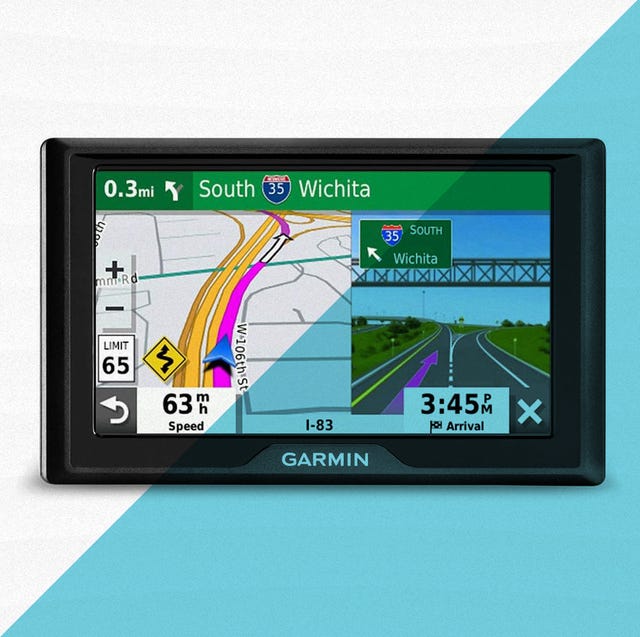
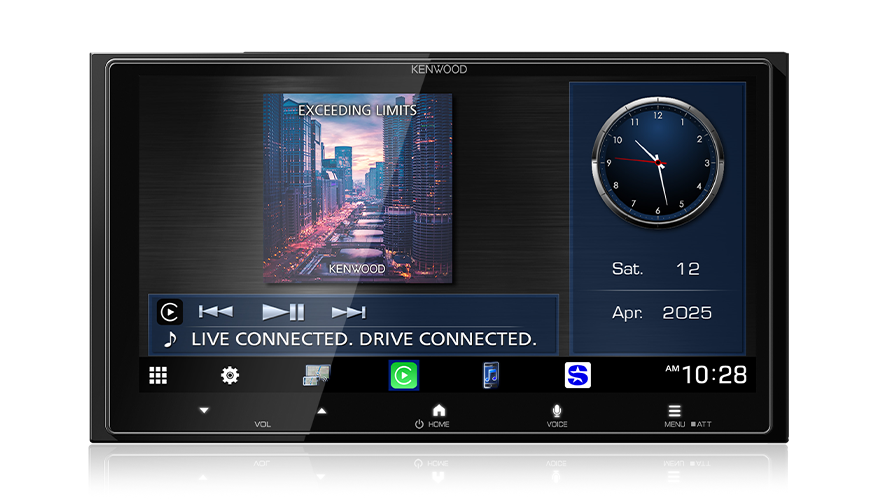
A car stereo with GPS is an audio head unit that includes navigation features. Some systems use built-in maps and GPS hardware, while others rely on a connected smartphone for navigation. Many offer a touchscreen display, but features vary by brand and model.
Before buying, check whether the system can navigate without a phone or internet connection. If it depends on a smartphone app, confirm that your phone is compatible and understand which features require mobile data.
Benefits of an In-Dash Navigation System
- Navigation on a larger display: A built-in screen can make routes and directions easier to view than a phone mounted on the dashboard.
- Integrated audio and directions: Many systems can lower music volume or provide spoken directions while you listen to audio.
- Hands-free features: Bluetooth and voice control may let you place calls or adjust audio without handling your phone.
- Smartphone integration: Select models support Apple CarPlay or Android Auto, giving drivers access to compatible navigation and media apps.
- A tidy dashboard: An integrated unit can reduce the need for separate mounts and cables.
Features to Consider
Navigation and Map Updates
Find out how the system provides maps and whether updates are included. Some units offer downloadable maps and updates through Wi-Fi, a computer, or a mobile app. Others use smartphone navigation, which may require a data connection. If you often drive in areas with limited cell service, offline maps can be especially useful.
Screen Size and Placement
Choose a display that is easy to read from the driver’s seat without blocking important controls or views. A larger screen can improve visibility, but the right size depends on your vehicle’s dashboard and the head unit opening.
Smartphone Compatibility
If you want to use navigation apps from your phone, look for support for Apple CarPlay or Android Auto. Confirm that the system works with your phone model and preferred connection method, such as USB or wireless connectivity.
Audio and Connectivity
Consider the audio sources you use, such as Bluetooth, USB, AM/FM radio, satellite radio, or streaming apps. If sound quality is a priority, check compatibility with your vehicle’s speakers, amplifier, and steering-wheel audio controls.
Voice Control and Safety
Voice control can help you enter destinations or manage audio while keeping your hands on the wheel. Features differ across systems, so check how voice commands work and whether they require a connected phone. Always follow local laws and keep your attention on driving.
Built-In GPS or Smartphone Navigation?
A built-in GPS system may offer navigation without relying on a phone’s mobile connection, depending on its maps and features. It can be a good choice for drivers who want a dedicated navigation experience. Smartphone-based systems, on the other hand, may provide familiar apps and frequently updated traffic information, but can depend on phone compatibility, battery life, and data availability.
Some car stereos offer both options. This can provide flexibility: use built-in maps when needed and connect a phone for app-based navigation or other services.
Installation and Vehicle Compatibility
Not every stereo fits every vehicle. Before purchasing, check the head unit size, wiring, dash kit requirements, antenna connections, and compatibility with factory features. These may include a backup camera, steering-wheel controls, a factory amplifier, or vehicle settings displayed through the original stereo.
Installation can range from a straightforward replacement to a more complex job requiring adapters or professional help. If you are unsure about fitment or wiring, consult a qualified installer and verify compatibility using your vehicle’s year, make, and model.
How to Choose the Right Car Stereo with GPS
- Decide whether you want built-in maps, smartphone navigation, or both.
- Check compatibility with your vehicle and phone.
- Compare screen size, map updates, and connectivity options.
- Make sure important factory features will continue to work.
- Review installation requirements and any ongoing costs, such as map or service subscriptions.
Final Thoughts
The best car stereo with GPS is one that fits your vehicle, works with your preferred navigation method, and is simple to use on the road. Comparing map options, phone compatibility, audio features, and installation needs can help you find a system that supports safer, more convenient driving.
Top 5 Frequently Asked Questions About Car Stereo GPS Systems
- Does car GPS work without a phone?
- Can I add a GPS system to my car?
- How can I get my GPS on my car screen?
- Can I add GPS navigation to my car?
- Can car GPS work without internet?
Does car GPS work without a phone?
Yes, a car GPS can work without a phone if the stereo has built-in GPS hardware and downloaded maps. These systems can determine your location and provide directions without cellular service, though live traffic, online search, and map updates may require an internet connection. If the stereo relies on Apple CarPlay, Android Auto, or a navigation app on your phone, you’ll generally need to connect your phone to use those features.
Can I add a GPS system to my car?
Yes, you can add GPS navigation to most cars. Options include replacing the factory stereo with an in-dash unit that has built-in navigation, choosing a stereo that works with Apple CarPlay or Android Auto, or using a portable GPS device or smartphone mount. Before buying an in-dash system, check that it fits your vehicle and is compatible with features such as steering-wheel controls, the backup camera, and the factory amplifier. If installation involves complex wiring or dashboard modifications, consider having it installed by a professional.
How can I get my GPS on my car screen?
To display GPS navigation on your car screen, connect a compatible smartphone using Apple CarPlay or Android Auto—by USB or wirelessly, depending on your vehicle—and open a supported navigation app, such as Apple Maps, Google Maps, or Waze. If your car stereo has built-in GPS, select its navigation option and follow the setup instructions; you may need to download maps or update the system first. Check your stereo and phone’s compatibility, and set your destination before driving.
Can I add GPS navigation to my car?
Yes, you can add GPS navigation to most cars. Options include replacing the factory stereo with an in-dash unit that has built-in navigation, choosing a stereo that supports Apple CarPlay or Android Auto to use navigation apps from your phone, or using a standalone GPS device. Before buying an in-dash system, check that it fits your vehicle and works with features such as steering-wheel controls, the backup camera, and the factory amplifier.
Can car GPS work without internet?
Yes, a car GPS can work without internet if it has built-in GPS hardware and maps stored on the device. It can use satellite signals to determine your location and provide directions offline, though live traffic updates, online search, and some map features may require an internet connection. If the system relies on a smartphone navigation app, download offline maps ahead of time and check which features remain available without data.