Navigation Telematics: Connecting Location, Vehicles, and Data
Navigation telematics brings together GPS positioning, digital maps, wireless communications, and vehicle data. The technology helps determine where a vehicle is, share information about its journey, and support decisions about routing, safety, and fleet operations.
How Navigation Telematics Works
A telematics system typically uses several technologies in combination:
- Positioning: A GPS or other satellite-navigation receiver estimates a vehicle’s location, speed, and direction.
- Mapping and navigation: Digital maps and routing software help identify roads and calculate directions. Depending on the system, routes may account for factors such as distance, road restrictions, or traffic.
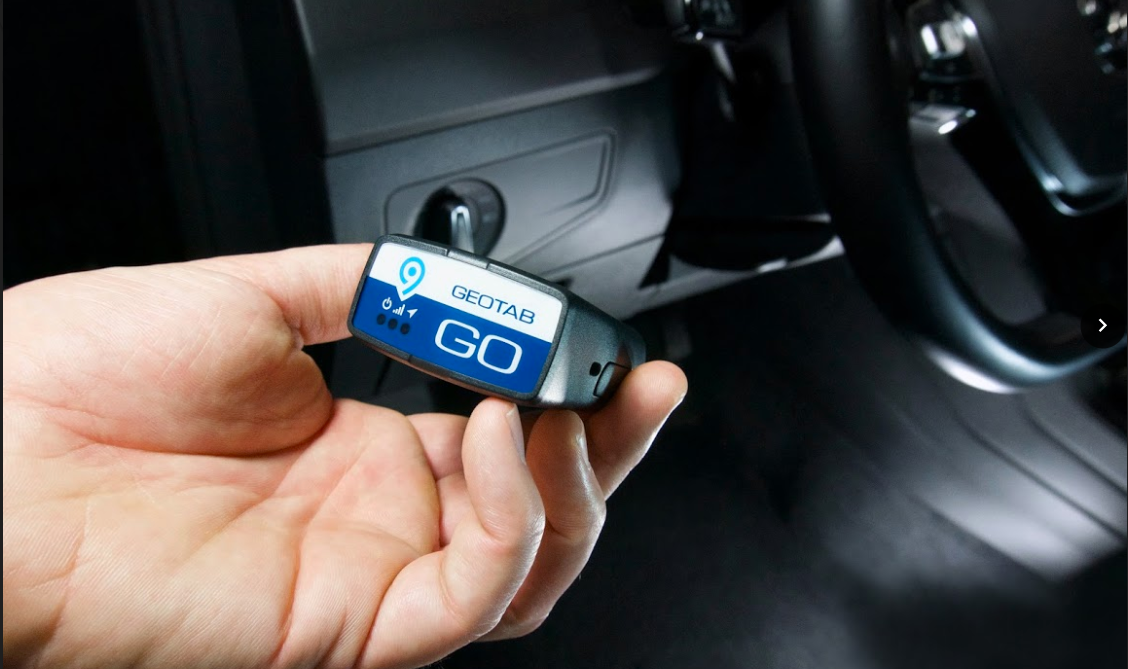
- Vehicle data: A connected device may collect information from the vehicle, such as mileage, ignition status, or diagnostic alerts. The data available varies by vehicle and equipment.
- Connectivity: Cellular or other wireless networks can send information to a fleet platform or connected application. Some devices also store data and transmit it later when a connection becomes available.
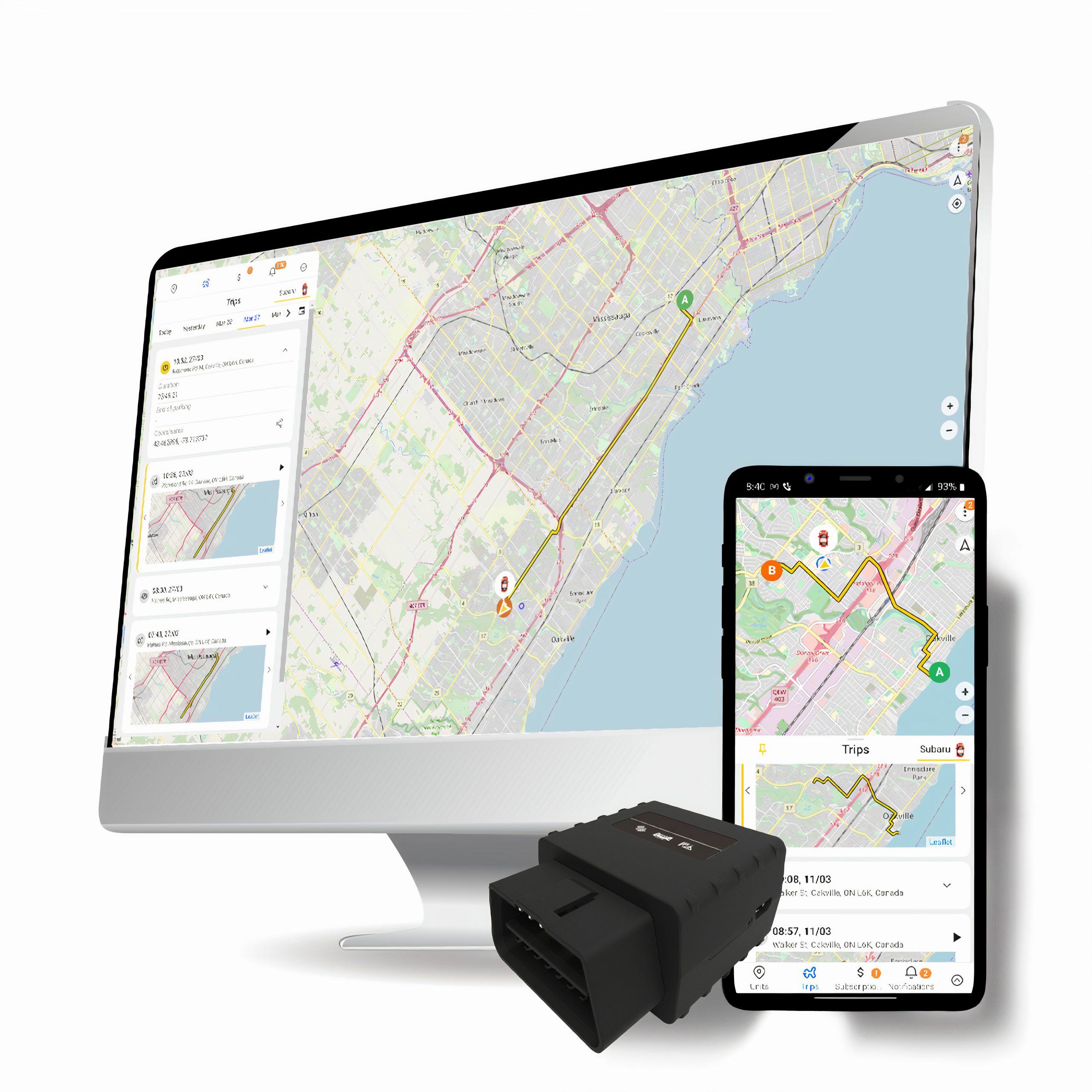
- Software and reporting: Applications organize the information into maps, alerts, trip histories, or operational reports.
These parts work together to provide more than turn-by-turn directions. They can help a driver navigate while giving an authorized fleet manager a broader view of vehicles and trips.
Common Uses
Fleet management
Businesses can use navigation telematics to monitor vehicle locations, coordinate dispatch, review routes, and provide customers with more accurate arrival estimates. Historical trip information may also help identify inefficient routing or recurring delays.
Delivery and field services
Delivery teams and service technicians often need to make multiple stops throughout the day. Telematics tools can help organize routes, communicate schedule changes, and give dispatchers a clearer picture of work in progress.
Driver safety and vehicle care
Depending on the system, telematics may provide information about driving patterns or vehicle condition. These insights can support coaching, maintenance planning, and timely attention to diagnostic warnings. Telematics does not replace safe driving practices or professional vehicle inspections.
Personal and commercial navigation
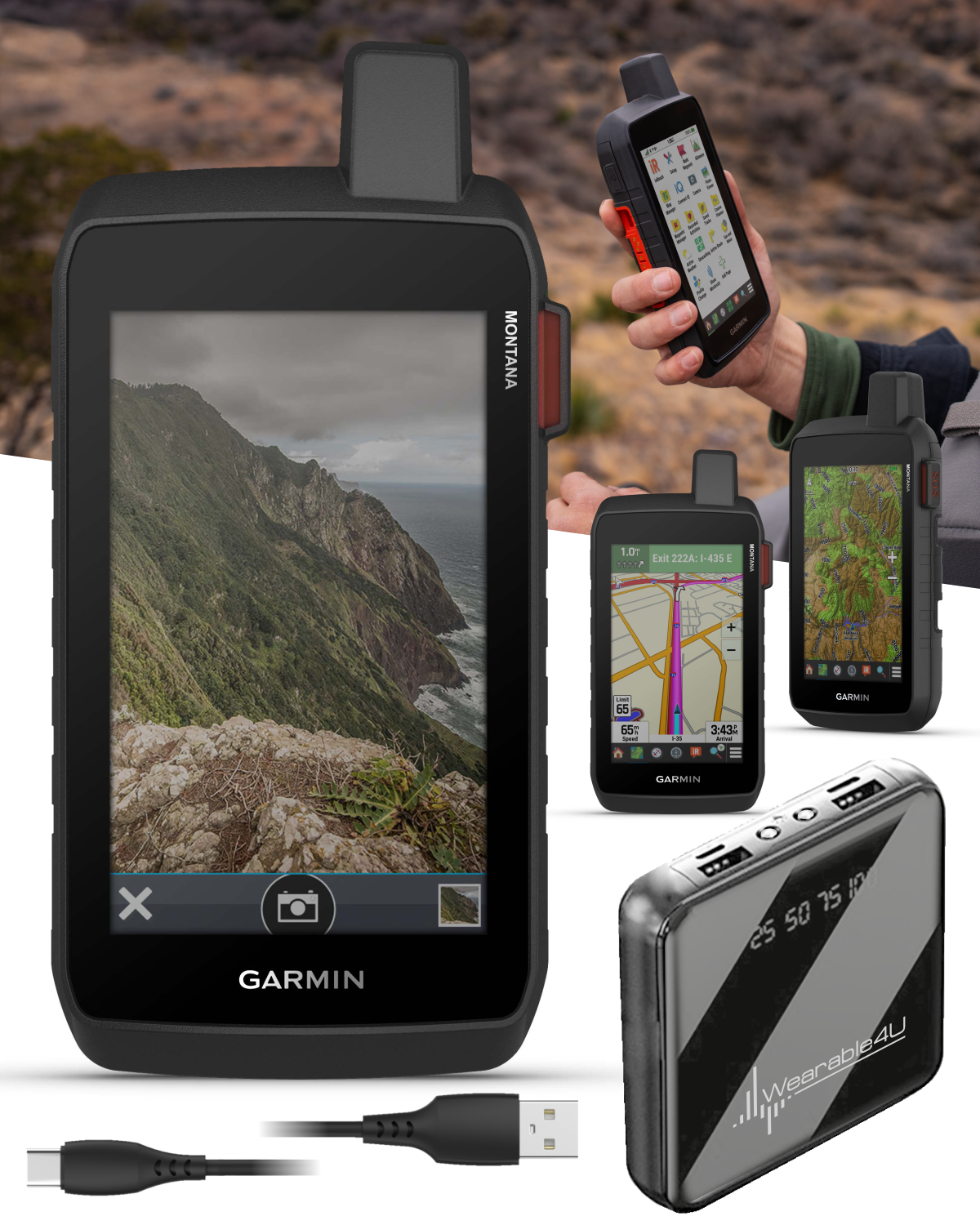
Connected navigation systems can combine location information with map data and, where available, traffic updates. Commercial systems may include additional features designed for particular vehicle types or work requirements.
Potential Benefits
When implemented thoughtfully, navigation telematics can help organizations make more informed operational decisions. Potential benefits include:
- Improved visibility into vehicle locations and trip progress
- More efficient route planning and dispatch coordination
- Better communication between drivers, dispatchers, and customers
- Useful records for reviewing mileage, trips, and vehicle use
- Earlier awareness of certain vehicle or operational issues
The results depend on the quality of the data, the capabilities of the system, and how consistently people use the information. Telematics can inform decisions, but it cannot guarantee shorter trips, lower costs, or safer driving on its own.
Challenges to Consider
Before adopting a telematics system, organizations should consider installation requirements, device compatibility, cellular coverage, subscription costs, and how the platform will fit existing workflows. Map and traffic information can also vary by location and may not always reflect changing road conditions in real time.
Privacy and data security deserve careful attention. Location and vehicle data can be sensitive, especially when linked to individual drivers. Organizations should understand what information is collected, who can access it, how long it is retained, and how it is protected. Clear policies and communication with drivers can help build trust.
Choosing a Navigation Telematics System
The right system depends on the vehicles, routes, and business needs involved. When evaluating options, consider:
- Whether the hardware works with the vehicles in your fleet
- Which location, routing, and vehicle data features are included
- How the system handles weak or unavailable network connections
- Whether reports and alerts are easy to understand and customize
- What support, security controls, and data-management options are provided
- The full cost of devices, installation, connectivity, and software
The Future of Navigation Telematics
Navigation telematics continues to evolve as vehicles, mapping services, and connected software become more capable. Systems may increasingly combine live traffic information, fleet data, and predictive analysis to support planning. Advances in connectivity and vehicle technology may also make it easier to share information across transportation networks.
Even as these tools develop, the core purpose remains the same: to turn location and vehicle information into practical guidance. Used responsibly, navigation telematics can help drivers find their way and help organizations coordinate vehicles with greater awareness.
8 Essential Tips for Safe and Effective Use of Navigation Telematics
- Keep navigation software updated.
- Check traffic before departure.
- Mount devices within easy view.
- Avoid handling devices while driving.
- Use voice guidance when possible.
- Verify route settings before starting.
- Allow location access for live updates.
- Pull over safely to adjust settings.
Keep navigation software updated.
Keep your navigation software updated to ensure your system has the latest maps, road changes, and available features. Updates may also improve performance, fix bugs, and address security issues. Check for updates regularly, and follow the manufacturer’s instructions to install them—especially before a long trip or when using the system for fleet operations.
Check traffic before departure.
Check traffic before departure to spot congestion, road closures, or delays that could affect your trip. Reviewing current conditions lets you choose a better route, adjust your departure time, and share a more accurate arrival estimate. If you use a navigation telematics system, make sure its traffic information is up to date, and check it while safely parked—not while driving.
Mount devices within easy view.
Mount navigation telematics devices where they’re easy to see at a glance without blocking the driver’s view of the road. A clear, accessible position makes it easier to check directions or alerts while keeping attention on driving. Secure the device so it won’t shift, and adjust it before starting your trip rather than while the vehicle is moving.
Avoid handling devices while driving.
Avoid handling navigation or telematics devices while driving. Enter your destination, adjust settings, and review your route before you set off; if you need to make a change, pull over safely and park first. Use voice guidance or hands-free controls when available, and keep your attention on the road.
Use voice guidance when possible.
Use voice guidance when possible to hear turn-by-turn directions without repeatedly looking at your screen. Keeping your eyes on the road and hands on the wheel can help reduce distractions, especially in unfamiliar areas. Set your destination and adjust audio settings before driving, and follow posted signs and road conditions if they differ from the navigation instructions.
Verify route settings before starting.
Before starting your trip, take a moment to verify your route settings. Check that your destination and vehicle type are correct, and review preferences such as avoiding toll roads, highways, or unpaved roads. Confirming these options ahead of time helps your navigation system recommend a route that fits your needs and can prevent unexpected detours or delays.
Allow location access for live updates.
Allow location access to get the most from navigation telematics. When your device can use your location, it can provide live position updates, show your progress along a route, and—when supported by the app and network—help deliver traffic-aware directions. Check your device’s privacy settings and choose the location permission that fits your needs; you can change it at any time.
Pull over safely to adjust settings.
Pull over safely before adjusting navigation telematics settings. Even a quick change can distract you from traffic, road signs, and changing conditions. Find a legal, safe place to stop, put the vehicle in park, and then update your route or preferences. If you need help while driving, ask a passenger to make the adjustment.