How to Choose the Best GPS Navigation System
The best GPS navigation system is the one that fits the way you travel. For daily driving, that might be a built-in vehicle system or a dedicated dashboard device. For hiking, boating, or off-road trips, a handheld GPS may be a better choice. And for many people, a smartphone navigation app is enough.
Before choosing a system, consider where you’ll use it, whether you need navigation without cellular service, and which features matter most. This guide explains the main options and what to look for.
Types of GPS Navigation Systems
Smartphone Navigation Apps
Navigation apps are convenient because they run on a device you may already own. Many offer live traffic, alternate routes, voice directions, and points of interest. Some also let you download maps for offline use.
The main drawbacks are battery use, dependence on your phone, and potential gaps in cellular coverage. A secure mount and car charger can make a phone-based setup easier to use on longer drives.
Dedicated Car GPS Devices
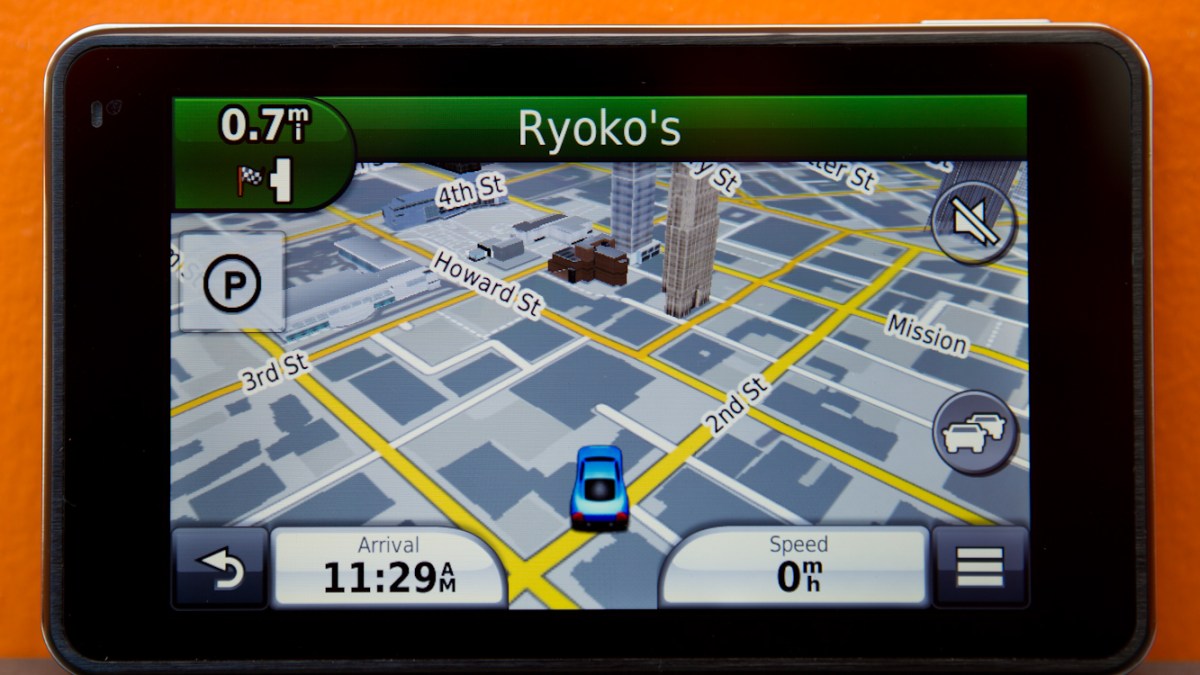
A dedicated GPS navigator is designed specifically for vehicle use. Many models have a large screen, spoken turn-by-turn directions, and maps stored on the device. That can make them useful in areas where phone service is limited.
When comparing devices, check how map updates work, whether traffic information is included, and whether the system supports your vehicle’s needs. Features and update policies vary by model.
Built-In Vehicle Navigation
Factory-installed navigation can integrate with a vehicle’s display and controls, creating a convenient setup. Depending on the vehicle, it may also work with other driver-assistance features. However, map updates and available functions vary between manufacturers and model years.
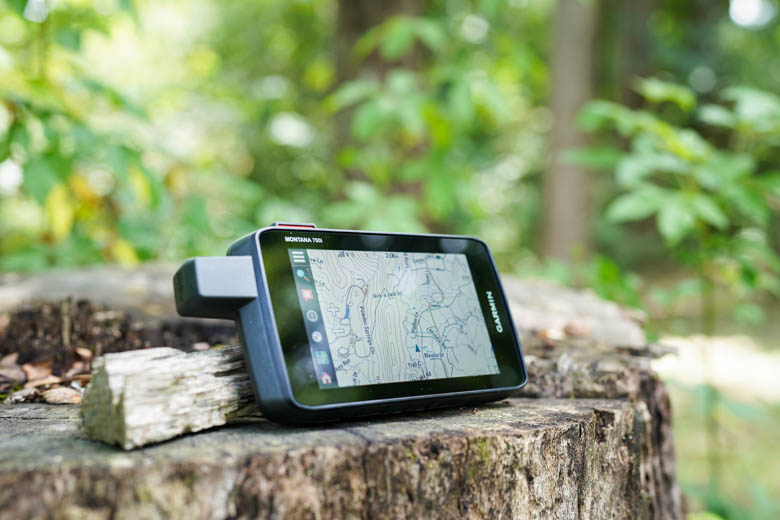
Handheld and Outdoor GPS Units
For hiking, camping, boating, and off-road travel, an outdoor GPS unit can offer features that ordinary car systems do not. Look for durable construction, long battery life, clear maps, and support for routes or waypoints. If you plan to travel beyond cellular coverage, confirm that maps are available offline.
Features to Look For
- Reliable maps: Check that maps cover the places you travel and can be updated as roads change.
- Offline navigation: Downloaded or built-in maps can help when cellular service is unavailable.
- Clear directions: A readable display, understandable voice prompts, and timely lane guidance can make navigation easier.
- Traffic information: Live traffic data may help you avoid congestion, but availability can depend on the device, app, subscription, or connection.
- Easy-to-use controls: A straightforward interface is especially important when you need to make changes while parked or before starting a trip.
- Mounting and power: For car use, consider screen placement, visibility, charging, and whether the device stays secure.
- Battery life and durability: These matter most for handheld GPS units used outdoors or away from a vehicle.
- Privacy settings: Review location permissions and data settings, particularly when using a connected app.
Which GPS System Is Best for You?
For everyday commuting: A smartphone app or built-in vehicle system may be the simplest choice, especially if you value live traffic and familiar controls.
For road trips: Consider a dedicated car GPS or an app with downloadable maps. Offline access can be useful on rural highways and in areas with unreliable service.
For hiking and camping: Choose an outdoor GPS unit designed for rugged use, with maps and navigation functions suited to the terrain.
For boating or off-road travel: Look for a system with maps made for that activity. A standard street-navigation device may not provide the information needed for trails or waterways.
GPS Device or Smartphone App?
A smartphone app is often the most convenient option and may provide strong traffic and search features. A dedicated GPS device can be a better fit if you want a separate navigation screen, prefer not to rely on your phone, or need maps available without cellular service.
Neither option is automatically best for everyone. Compare the total cost, map-update process, connectivity requirements, mounting options, and the locations where you expect to travel.
Tips for Using GPS Navigation Safely
- Set your destination and review the route before you start driving.
- Mount the device where it does not block your view of the road.
- Use voice guidance when possible and avoid handling the device while driving.
- Follow road signs and local rules, even if a navigation instruction seems different.
- Keep maps and software updated, and download offline maps before traveling without reliable service.
Final Thoughts
The best GPS navigation system depends on your travel habits. Smartphone apps are convenient for everyday use, dedicated car devices offer a separate navigation experience, and outdoor GPS units are designed for travel beyond paved roads. Focus on reliable maps, clear directions, offline access, and ease of use to find a system that suits your needs.
7 Essential Tips for Choosing the Best GPS Navigation System
- Choose a system with reliable, up-to-date maps.
- Look for real-time traffic and rerouting.
- Check that it works offline in low-signal areas.
- Pick a clear screen with easy-to-read directions.
- Compare voice guidance and lane-assist features.
- Verify compatibility with your phone or vehicle.
- Read recent reviews before buying.
Choose a system with reliable, up-to-date maps.
Choose a GPS navigation system with reliable, up-to-date maps so its directions reflect current roads, intersections, and route changes. Regular map updates can help you avoid outdated instructions and make it easier to navigate new areas. Before choosing a system, check how often maps are updated, whether updates are free or require a subscription, and whether you can download maps for offline use.
Look for real-time traffic and rerouting.
Look for a GPS navigation system with real-time traffic updates and automatic rerouting. These features can alert you to congestion, accidents, or road closures and suggest an alternate route when conditions change. Check whether traffic service is included or requires a subscription or internet connection, especially if you often travel in areas with limited cellular coverage.
Check that it works offline in low-signal areas.
Before choosing a GPS navigation system, check whether it can guide you without an internet or cellular connection. Offline maps are especially useful in rural areas, mountains, tunnels, and other low-signal locations. Confirm that you can download maps for the regions you plan to visit and access key features—such as turn-by-turn directions—while offline.
Pick a clear screen with easy-to-read directions.
Choose a GPS navigation system with a clear screen and easy-to-read directions so you can understand your route at a glance. Look for legible text, strong contrast, and a display that’s easy to see in different lighting conditions. Clear voice prompts and timely lane guidance can also help you follow directions without taking your attention off the road.
Compare voice guidance and lane-assist features.
Compare voice guidance and lane-assist features when choosing a GPS navigation system. Clear, timely voice directions let you keep your eyes on the road, while lane guidance helps you prepare for exits, turns, and complicated interchanges. If possible, test how easy the prompts are to understand and check whether lane guidance is available for the roads you commonly travel.
Verify compatibility with your phone or vehicle.
Before choosing a GPS navigation system, verify that it’s compatible with your phone or vehicle. Check whether the app supports your phone’s operating system and whether your vehicle works with features such as Apple CarPlay, Android Auto, Bluetooth, or built-in navigation. Confirming compatibility in advance can help you avoid connection problems and ensure the system works with your preferred setup.
Read recent reviews before buying.
Read recent reviews before buying a GPS navigation system to learn how it performs in real-world conditions. Look for feedback about map accuracy, ease of use, traffic updates, battery life, and customer support, and pay attention to reviews from people who travel the way you do. Recent comments are especially helpful because software, maps, and features can change over time.