How to Find a Local Traffic Report Near You
Looking for a local traffic report near you? Checking road conditions before you leave can help you choose a better route, allow extra time, and avoid unexpected delays. Whether you’re commuting, running errands, or heading out of town, a few quick checks can make your trip smoother.
Where to Check Local Traffic
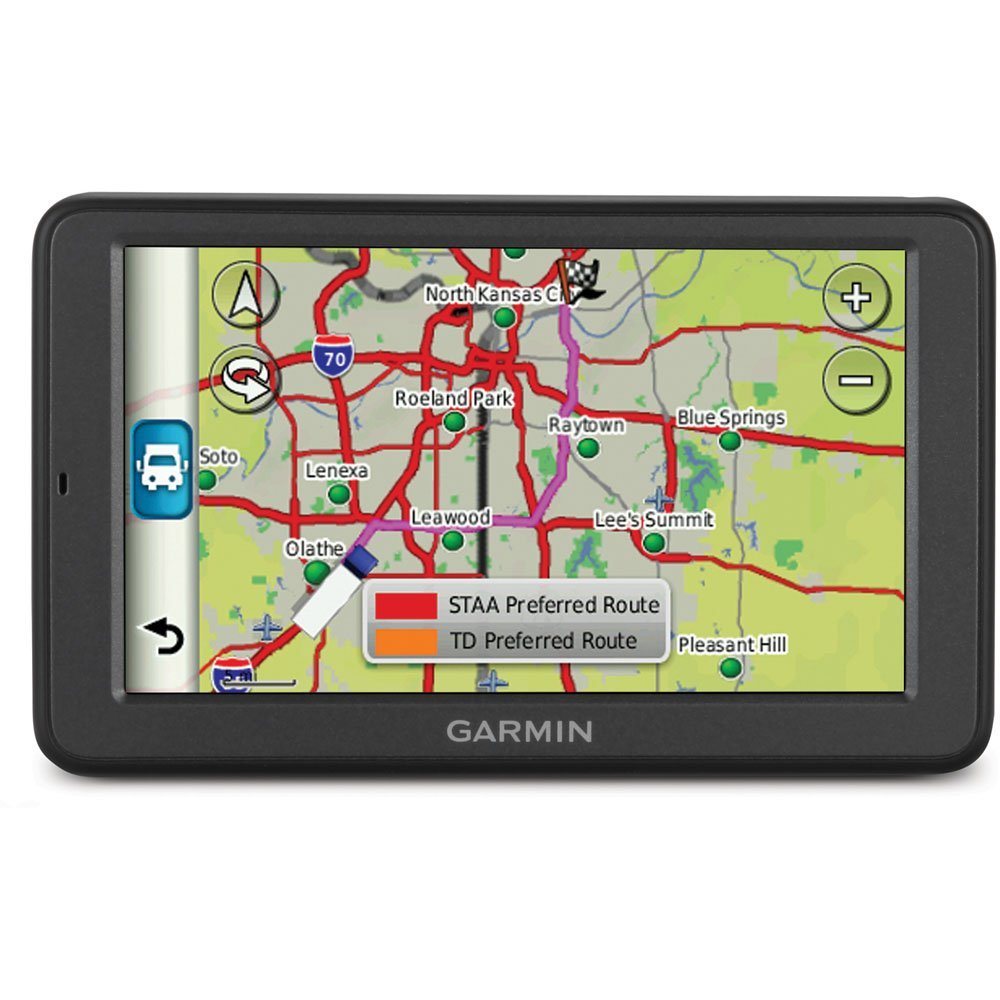
Navigation apps and online maps can show current traffic conditions, estimated travel times, and reported incidents. For the most useful picture, compare information from more than one source, especially before a long trip or during severe weather.
- Navigation apps: Many apps display congestion, road closures, construction, and alternate routes.
- State and local transportation agencies: Official traffic websites and social media accounts may provide updates on crashes, planned roadwork, and closures.
- Local news: Radio, television, and news websites often report major incidents and delays, particularly during peak travel times.
- Roadside message signs: Electronic signs may share real-time warnings, travel times, and detour instructions along your route.
How to Get a More Useful Traffic Report
Enter your destination and check the estimated travel time shortly before leaving. Look for slowdowns along the entire route, not just near your starting point. If a delay appears, compare alternate routes and consider whether the detour is likely to save time. Shortcuts through residential streets may be slower or less suitable than staying on main roads.
Traffic can change quickly. An incident may clear, a new crash may cause a backup, or weather may affect driving conditions. Check again if your plans change or you are traveling during rush hour, a major event, or a holiday period.
Plan for More Than Congestion
A helpful local traffic report should be considered alongside weather, roadwork, and other conditions. Rain, snow, reduced visibility, and temporary lane closures can all affect how long a trip takes. Leave extra time when conditions are uncertain, and follow posted signs and instructions from traffic officials.
Drive Safely While Checking Updates
Set your destination and review your route before you start driving. Never read or interact with a phone while behind the wheel. If you need to check a new traffic update, pull over in a safe, legal location first, or ask a passenger to help.
Checking a local traffic report near you before departure can help you make informed travel choices. Use current sources, allow time for changing conditions, and keep your attention on the road.
7 Essential Tips for Navigating Local Traffic with Ease
- Check a live traffic app for nearby delays.
- Enable location services for accurate local reports.
- Review traffic before leaving home.
- Look for crashes and road closures on your route.
- Compare alternate routes before detouring.
- Check transit or city alerts for disruptions.
- Refresh the report during your trip.
Check a live traffic app for nearby delays.
Check a live traffic app before you leave to spot nearby delays, crashes, road closures, or construction. Reviewing current conditions can help you compare routes and plan for extra travel time. If you’re already driving, keep your attention on the road and ask a passenger to check updates or pull over safely before using your phone.
Enable location services for accurate local reports.
Enable location services on your device to get a traffic report tailored to your current area. This helps navigation apps identify nearby roads, incidents, construction, and delays, so you can check conditions along your route and choose a more informed departure time or alternate path. For privacy, review your app’s location permissions and share your location only with services you trust.
Review traffic before leaving home.
Review traffic before leaving home to spot congestion, crashes, road closures, or construction that could affect your trip. Check a trusted navigation app or local transportation agency for current conditions, compare alternate routes if needed, and allow extra travel time so you can start your drive prepared.
Look for crashes and road closures on your route.
Before you leave, check your route for crashes and road closures that could cause delays or require a detour. Review traffic updates from a navigation app or local transportation agency, and allow extra time if you spot an incident. If you need to change your route, make the adjustment before driving or pull over somewhere safe—never use your phone while behind the wheel.
Compare alternate routes before detouring.
Before taking a detour, compare alternate routes using current traffic information. A suggested shortcut may involve extra distance, construction, or slower local roads, so check estimated travel times and conditions along the full route. Choose the option that best fits your plans, and follow posted signs and traffic instructions.
Check transit or city alerts for disruptions.
Check your local transit agency or city alert system before heading out, especially if your trip depends on buses, trains, or major roads. Alerts can share timely updates about service interruptions, road closures, construction, special events, and severe weather that may affect your route. Check the agency’s official website, app, or social media account, and allow extra travel time if disruptions are reported.
Refresh the report during your trip.
Refresh your local traffic report during your trip to stay up to date on new delays, crashes, road closures, or changing travel times. Traffic conditions can shift quickly, so an updated report may help you choose a better route. Set up voice guidance or ask a passenger to check for updates, and never handle your phone while driving.