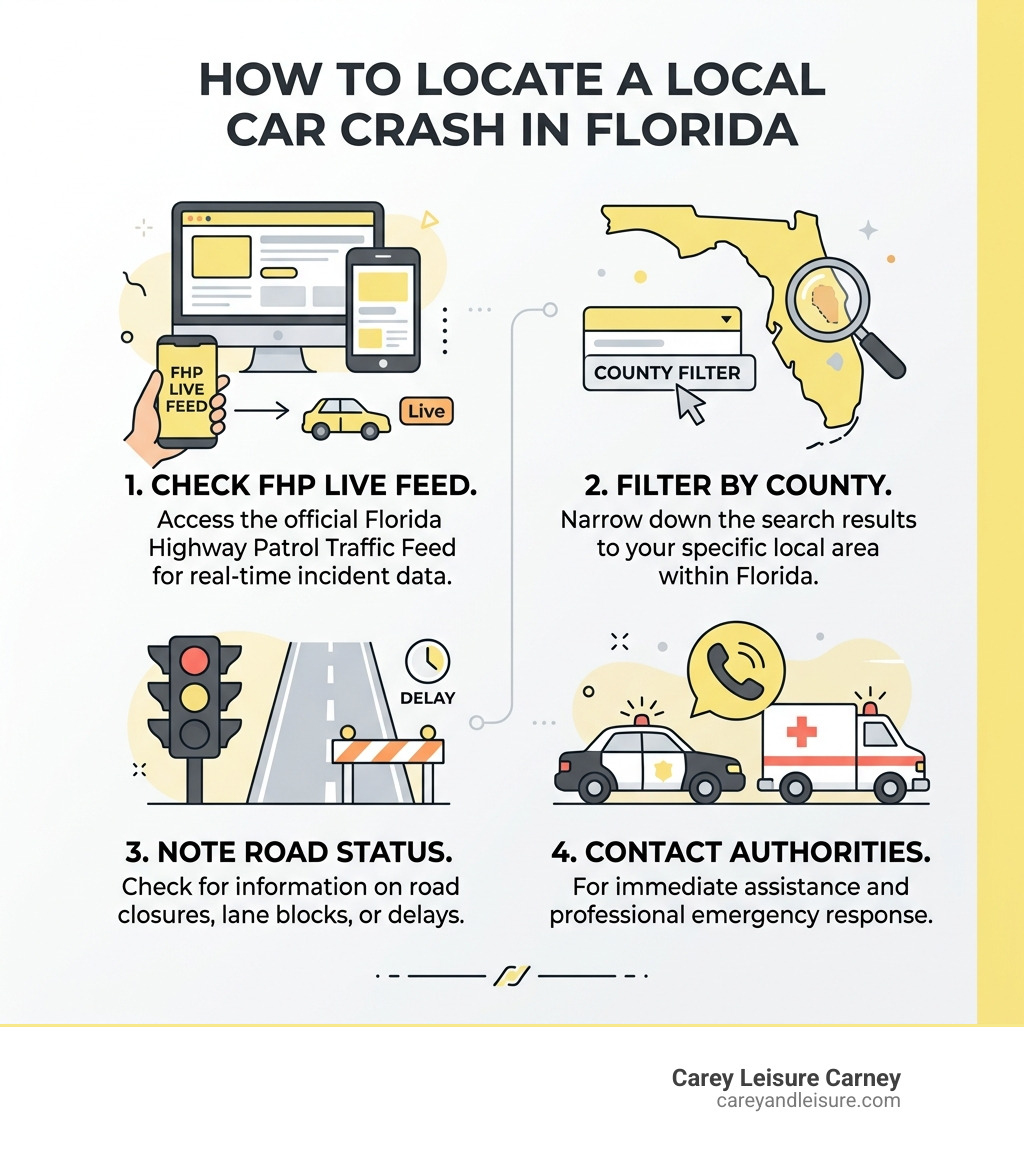
How to Check Real-Time Traffic Near Me
When you’re heading to work, running errands, or planning a road trip, checking real-time traffic near you can help you choose a better route and prepare for delays. Traffic conditions can change quickly because of accidents, construction, weather, and special events. A current traffic map or navigation app can give you a useful snapshot before and during your trip.
Ways to Find Nearby Traffic Conditions
Several tools can help you check traffic in your area:
- Navigation apps: Many GPS and navigation apps display congestion, incidents, and estimated travel times. Enter your destination to compare available routes.
- Online maps: Map services often include a traffic layer that uses colors to show road conditions. Traffic information may vary by location and service.
- Local transportation websites: State and regional transportation agencies may provide updates about road closures, construction, crashes, and travel conditions.
- 511 services: In many parts of the United States, dialing 511 or visiting a state 511 website provides transportation updates. Availability and features vary by state.
- Local news and alerts: Radio, television, and official social media accounts can share information about major incidents and road closures.
How to Read a Traffic Map
Traffic maps commonly use colors to indicate the speed or flow of traffic. Green usually represents smooth movement, while yellow or orange may indicate slower conditions. Red often signals heavy congestion, but color conventions can differ between services. Look for incident markers and check the estimated arrival time as well as the map itself—an alternate route may look shorter but take longer because of slower roads or additional turns.
Get a More Useful Traffic Update
For the clearest picture of your trip, check conditions shortly before you leave and enter your full destination into a navigation tool. Consider these tips:
- Compare estimated travel times on more than one route.
- Check for closures, construction, or incidents along the route.
- Allow extra time during rush hour, bad weather, or large local events.
- Refresh the route if conditions change while you’re traveling.
- Use a hands-free setup, and make route changes only when it’s safe to do so.
Why Traffic Information Can Differ
Traffic services may use different sources, such as road sensors, transportation agency reports, incident reports, and aggregated information from connected devices. Updates may arrive at different times, and coverage can be less complete on rural roads or in areas with limited connectivity. Treat an estimated travel time as a guide, not a guarantee, and follow posted signs and directions from authorities.
Plan Ahead and Drive Safely
Checking real-time traffic near you can help reduce surprises, but it cannot eliminate every delay. Before setting out, review the route, leave extra time when conditions are uncertain, and keep your attention on the road. If traffic becomes heavy, remain patient and follow safe driving practices rather than making sudden maneuvers.
Real-Time Traffic Near You: 8 Frequently Asked Questions
- How can I check real-time traffic near me?
- Which apps show live traffic conditions and delays?
- How can I find out why traffic is backed up near me?
- How accurate are real-time traffic maps?
- How often is traffic information updated?
- Can I see accidents, road closures, and construction on a traffic map?
- How can I find the fastest route around traffic near me?
- Is there a way to get real-time traffic alerts while I drive?
How can I check real-time traffic near me?
To check real-time traffic near you, enter your destination in a navigation app or online map and turn on its traffic layer. These tools can show congestion, incidents, road closures, and estimated travel times, and may suggest alternate routes. You can also check your state or local transportation agency’s website or 511 service for official updates. Traffic information can change quickly, so review it shortly before you leave and only interact with your device when it’s safe to do so.
Which apps show live traffic conditions and delays?
Apps such as Google Maps, Apple Maps, and Waze show live traffic conditions, estimated travel times, and reported delays in many areas. Depending on your location, apps from local transportation agencies may also provide updates on crashes, construction, and road closures. Coverage and update frequency can vary, so compare routes and check official local alerts when conditions are especially important. For safety, set your destination before driving and avoid handling your phone on the road.
How can I find out why traffic is backed up near me?
To find out why traffic is backed up near you, check a navigation app or online map for incident reports, road closures, and construction alerts along your route. Your state or local transportation agency’s website, 511 service, and official social media accounts may also provide updates about crashes or other disruptions. Because reports can take time to appear, compare more than one source and follow posted signs and instructions from authorities.
How accurate are real-time traffic maps?
Real-time traffic maps are generally useful for spotting congestion, crashes, road closures, and delays, but their accuracy can vary by location and how recently the information was updated. They may combine data from road sensors, transportation agencies, incident reports, and connected devices, so busy routes often have more detailed coverage than rural areas. Conditions can also change faster than a map refreshes, and estimated arrival times are not guarantees. Check the map shortly before you leave, compare alternate routes, and follow posted signs and official instructions while driving.
How often is traffic information updated?
Traffic information is typically updated every few minutes, though the exact timing depends on the navigation service, data sources, and your location. Some apps refresh conditions more frequently when you’re actively navigating, while updates may be less frequent in areas with limited road sensors or connectivity. Because incidents and congestion can change quickly, check the latest route before leaving and follow posted signs while driving.
Can I see accidents, road closures, and construction on a traffic map?
Yes, many traffic maps show reported accidents, road closures, and construction zones, often with icons or alerts along your route. The details and update speed vary by map service and location, so check the map’s legend and confirm major disruptions with your local transportation agency or 511 service. If you’re driving, review the map before you leave or use hands-free navigation, and don’t interact with your phone while the vehicle is moving.
How can I find the fastest route around traffic near me?
To find the fastest route around traffic near you, enter your destination in a GPS navigation app or online map with live traffic updates. Compare suggested routes and estimated arrival times, and check for accidents, construction, or road closures that could affect your trip. Traffic can change quickly, so keep navigation updated and follow any rerouting instructions when it’s safe. Set your route before driving, and never use your phone while behind the wheel.
Is there a way to get real-time traffic alerts while I drive?
Yes. Many navigation apps and GPS devices can provide real-time traffic alerts while you drive, including notifications about congestion, crashes, road closures, and route changes. Check that traffic alerts are enabled and that your device has an internet or traffic-data connection. Set your destination and review the route before you start driving, then use voice guidance or a hands-free setup so you can keep your attention on the road.