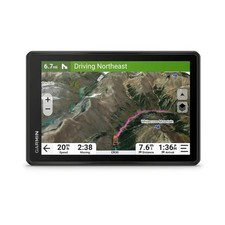
Garmin DriveSmart 66 EX: A Closer Look at This 6-Inch GPS Navigator
The Garmin DriveSmart 66 EX is a dedicated GPS navigation device designed to make driving directions easier to view and follow. Its six-inch touchscreen gives drivers a larger map display than many compact navigation units, while Garmin’s familiar mapping interface helps make route planning straightforward. It can be a useful option for drivers who prefer a separate navigator rather than relying entirely on a phone.
Easy-to-View Navigation
A clear screen matters when checking directions on the road. The DriveSmart 66 series features a six-inch display that shows maps, turns, and route information in an easy-to-read format. The touchscreen lets drivers enter destinations and review route options before setting off. As with any navigation device, drivers should set their destination while parked and follow local laws when using the screen.
Route Guidance and Driver Alerts
Garmin DriveSmart navigators provide turn-by-turn directions and may include alerts for certain road conditions or driving situations. Depending on the device’s software, map data, and regional configuration, alerts can include notices about speed changes, sharp curves, school zones, or other points along a route. These prompts are intended as driving aids, not substitutes for posted signs or attentive driving.
Connected Features
Some DriveSmart features can be enhanced by connecting the navigator to a compatible smartphone and the Garmin Drive app. Depending on compatibility and setup, connected services may provide information such as traffic, weather, or notifications. Availability can vary by location, phone, app version, and service terms. Review the product documentation to confirm which features are included with a specific DriveSmart 66 EX package.
What Does “EX” Mean?
Product names and package contents can differ among retailers and regions. The “EX” designation may refer to a particular version or bundle, so shoppers should check the exact listing for details such as included accessories, map coverage, and connected-service availability. Confirming these details before purchase helps ensure the device meets your needs.
Who Might Choose the DriveSmart 66 EX?
The DriveSmart 66 EX may suit drivers who want a dedicated GPS unit with a generously sized screen, especially if they travel in areas with inconsistent mobile service or prefer not to use a phone for navigation. It may also be convenient for drivers who regularly switch vehicles, provided the device can be mounted securely and used in accordance with local regulations.
Things to Consider Before Buying
- Map coverage: Check which countries or regions are covered and how map updates are provided.
- Traffic and online services: Confirm whether the features you want require a smartphone connection, an app, or a subscription.
- Mounting and power: Review the included accessories and make sure they work with your vehicle.
- Exact model details: Compare the seller’s description with Garmin’s product documentation, since specifications and bundle contents can vary.
Final Thoughts
The Garmin DriveSmart 66 EX is a dedicated navigation option for drivers who value a large, easy-to-read screen and familiar turn-by-turn guidance. Its usefulness will depend on the specific version’s maps, connectivity, and included features, so check those details before buying. Used responsibly, a standalone GPS can offer a convenient way to plan and follow routes without making a smartphone the center of every drive.
Garmin DriveSmart 66 EX FAQs: Reviews, Age, Subscription Requirements, and Best Models
- What is the best Garmin DriveSmart?
- How old is Garmin DriveSmart 66?
- What are people saying about the Garmin DriveSmart 66ex in reviews?
- What does ex mean on Garmin GPS?
- Which Garmin DriveSmart model is the best?
- Does Garmin DriveSmart 66 require a subscription?
What is the best Garmin DriveSmart?
The best Garmin DriveSmart depends on your budget, preferred screen size, and the features you need. The Garmin DriveSmart 66 EX is a strong choice for drivers who want a clear 6-inch display and straightforward turn-by-turn guidance. If you prefer a larger screen or additional connected features, compare it with other DriveSmart models and check their current specifications, map coverage, and included services before choosing.
How old is Garmin DriveSmart 66?
The Garmin DriveSmart 66 was introduced in 2022, making the model about four years old as of 2026. The exact age of a particular DriveSmart 66 EX unit depends on when it was manufactured or purchased, and release dates may vary by region.
What are people saying about the Garmin DriveSmart 66ex in reviews?
Reviews of the Garmin DriveSmart 66 EX often highlight its bright, easy-to-read 6-inch screen, clear turn-by-turn directions, and straightforward setup. Some drivers also appreciate having a dedicated navigator rather than relying on a phone. Less favorable comments may mention the learning curve for certain settings, inconsistent connected features, or differences in map and traffic services depending on the setup and region. Overall, reviewers’ experiences vary, so it’s worth checking recent feedback and confirming the features included with the specific model before purchasing.
What does ex mean on Garmin GPS?
On the Garmin DriveSmart 66 EX, “EX” is part of the model name, but its meaning can depend on the specific product version, region, or retailer bundle. It isn’t a universal Garmin abbreviation with one meaning across all GPS devices. Check the product listing or Garmin’s documentation for the exact DriveSmart 66 EX model to see what features, maps, or accessories are included.
Which Garmin DriveSmart model is the best?
The best Garmin DriveSmart model depends on your needs and budget. The DriveSmart 66 EX may be a good fit if you want a dedicated navigator with a six-inch screen, while a larger-screen model may be easier to view and a more feature-rich version may offer additional connectivity or driver alerts. Compare screen size, map coverage, traffic features, smartphone compatibility, and included accessories, since features can vary by model and package. Before buying, check Garmin’s current specifications to make sure the model suits your vehicle and the places you travel.
Does Garmin DriveSmart 66 require a subscription?
No, the Garmin DriveSmart 66 does not require a subscription for basic navigation, including turn-by-turn directions and its included maps. Map updates are generally available without a subscription, though they may require a computer or Wi-Fi connection. Optional connected features, such as live traffic or weather, may need a compatible smartphone, the Garmin Drive app, and mobile data; availability can vary by region and service.