
Garmin GPS Accessories: How to Choose the Right Gear
The right accessories can make a Garmin GPS device easier to use, protect it from everyday wear, and keep it ready for your next trip. Whether you use a GPS for driving, hiking, cycling, boating, or fitness, choosing accessories that fit your specific device is essential.
Popular Garmin GPS Accessories
Mounts and Holders
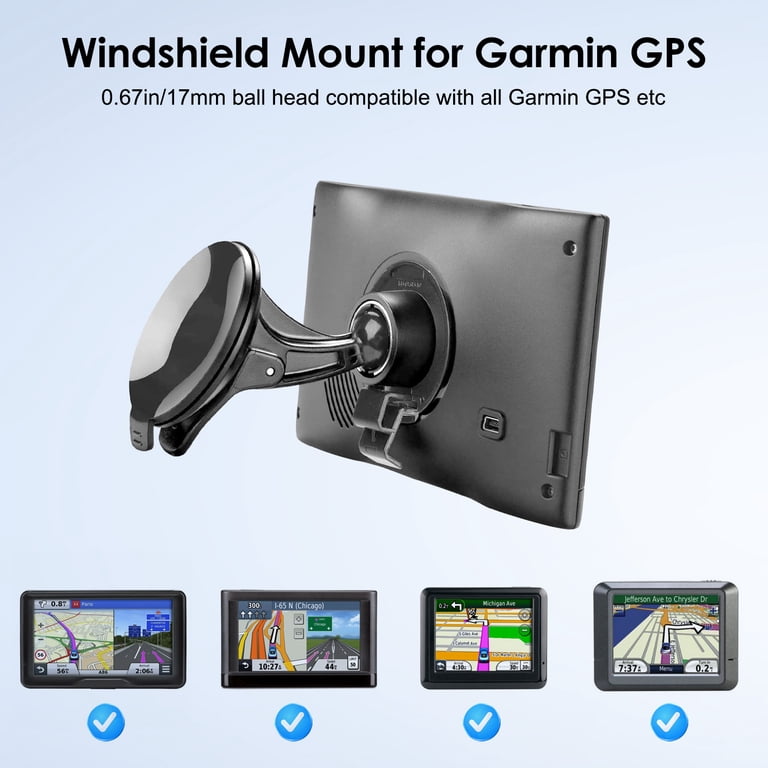
A mount keeps your GPS visible and secure while you travel. Depending on the device and activity, options may include windshield or dashboard mounts for vehicles, handlebar mounts for bikes, and mounting systems for boats. Before purchasing, check that the mount is designed for your Garmin model and is suitable for its intended setting.
Power Cables and Chargers
Charging accessories help keep your GPS powered at home, in the car, or on the go. Some devices use a standard USB cable, while others require a model-specific connector or charging cradle. Confirm the connection type and power requirements in your device’s manual before ordering a replacement or spare charger.
Protective Cases and Screen Protectors
A compatible case can help protect a handheld GPS from scratches, dust, and bumps during storage or travel. Screen protectors may help reduce scratches and fingerprints. Choose accessories made for your device’s dimensions, buttons, ports, and display so they do not interfere with normal operation.
Replacement Bands and Straps
For wearable Garmin GPS devices, replacement bands and straps offer a way to refresh a worn band or adjust the fit. Check the watch model and band attachment size before buying, since bands are not universally interchangeable.
Memory Cards and Data Accessories
Some Garmin devices support memory cards for additional maps or data. Verify the supported card type, capacity, and installation instructions for your model. Use maps and files from trusted sources, and follow Garmin’s guidance to avoid compatibility or performance issues.
How to Find Accessories That Fit
Start by identifying the exact model name and, when available, the device’s part number. Product lines often include several versions with different connectors, mounting points, or dimensions. Review the accessory’s compatibility list, compare its specifications with your device manual, and check whether installation requires any additional parts.
It is also helpful to consider how and where you use your GPS. A driver may prioritize a stable mount and car charger, while a hiker may want a protective case and a convenient way to carry the device. For cycling or boating, look for a mount designed to withstand the movement and conditions associated with that activity.
Tips for Buying Garmin GPS Accessories
- Confirm compatibility with your exact Garmin model before purchasing.
- Check the connector type, dimensions, and included mounting hardware.
- Choose accessories suited to your activity and environment.
- Review the product details and return policy, especially when buying third-party accessories.
- Follow the device manual for charging, installation, and care.
Get More from Your GPS
Well-chosen Garmin GPS accessories can make navigation more convenient and help protect your equipment. A compatible mount, charger, case, or replacement band can be a practical addition—but compatibility should always come first. Check your device specifications before you buy, and select accessories that match the way you travel.
Garmin is a trademark of Garmin Ltd. or its subsidiaries. This article is for informational purposes and does not imply sponsorship or endorsement by Garmin.
6 Tips for Choosing and Using Garmin GPS Accessories
- Check compatibility with your Garmin GPS model before buying accessories.
- Use a secure mount suited to your vehicle or activity.
- Choose a protective case for travel and storage.
- Carry a compatible charging cable on longer trips.
- Keep spare power options handy for extended outings.
- Buy from trusted sellers to avoid counterfeit accessories.
Check compatibility with your Garmin GPS model before buying accessories.
Before buying Garmin GPS accessories, check that they’re compatible with your exact device model. Mounts, charging cables, cases, and replacement bands can differ in size, connector type, or attachment style, even across devices from the same product line. Confirm the model name and review the accessory’s compatibility details to avoid ordering something that won’t fit or work properly.
Use a secure mount suited to your vehicle or activity.
Choose a secure mount designed for both your Garmin GPS model and the way you plan to use it. For driving, select a vehicle mount that stays firmly in place and keeps the screen easy to see without blocking your view of the road. For cycling, hiking, or boating, look for a mount made for that activity and built to handle movement and conditions such as vibration or moisture. Before setting off, check that the device is locked in place and that the mount does not interfere with safe operation.
Choose a protective case for travel and storage.
Choose a protective case to help keep your Garmin GPS safe during travel and storage. A well-fitting case can help guard against scratches, dust, and minor bumps when the device is packed in a bag or glove compartment. Check the case’s compatibility with your exact Garmin model, and make sure it provides enough room for any accessories you plan to carry.
Carry a compatible charging cable on longer trips.
On longer trips, pack a charging cable that’s compatible with your Garmin GPS so you can recharge when the battery runs low. Check your device’s connector and charging requirements before you leave, and consider keeping a spare cable in your bag or vehicle.
Keep spare power options handy for extended outings.
For extended outings, keep a spare power option handy so your Garmin GPS stays ready when you need it. Depending on your device, that could mean carrying a fully charged power bank, spare batteries, or a compatible charging cable and vehicle adapter. Check your GPS model’s power requirements before you go, and store backup options where they’re easy to reach.
Buy from trusted sellers to avoid counterfeit accessories.
Buy Garmin GPS accessories from trusted retailers or authorized sellers to reduce the risk of counterfeit or poorly made products. Check the seller’s reputation, read recent customer reviews, and make sure the listing clearly identifies compatible Garmin models. Be cautious of unusually low prices, vague product descriptions, or packaging that appears inconsistent with the manufacturer’s standards. A reputable seller is also more likely to provide accurate compatibility information and reliable support if there’s a problem.

