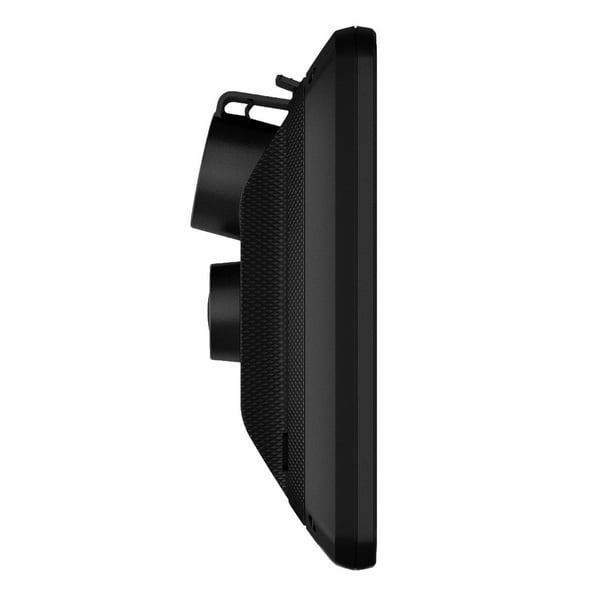
Garmin GPS With Dash Cam: Navigation and Recording in One Device
A Garmin GPS with a built-in dash cam combines turn-by-turn navigation with a camera that records the road ahead. Instead of mounting and powering two separate devices, drivers can use one unit for directions and video recording. Garmin offers select navigation devices with integrated dash cams; features and availability vary by model.
How a GPS and Dash Cam Combo Works
The navigation system provides route guidance, maps, and other driving information on the device’s display. At the same time, the built-in camera records video while you drive. Depending on the model and settings, recordings may include details such as the date, time, or location.
Some Garmin models can save video automatically when they detect an incident, helping protect important footage from being overwritten. Storage options, recording quality, and incident-detection features differ, so check the specifications for the specific device before buying.
Potential Benefits
- Fewer devices to install: A combination unit can reduce dashboard clutter and the need for separate mounts and power cables.
- Navigation and recording together: Drivers can follow directions while the camera records the road.
- Helpful trip documentation: Saved footage may help clarify what happened during an incident or capture details from a drive.
- Garmin navigation features: Depending on the model, features may include map updates, traffic information, driver alerts, or voice guidance.
What to Consider Before Buying
Not every Garmin GPS includes a dash cam, and features can differ significantly between models. Before choosing a device, consider the screen size, camera resolution, field of view, storage requirements, and how video is saved or reviewed. Check whether a memory card is included or must be purchased separately, and confirm whether the device needs a connection to a smartphone or app for certain features.
Also think about where the unit will be mounted. It should provide a clear camera view without obstructing the driver’s vision. A tidy installation can make the device easier to use and help keep cables out of the way.
Privacy and Local Rules
Dash-cam laws and rules about recording audio, sharing video, or mounting devices vary by location. Review applicable state and local requirements, and position the device so it does not interfere with safe driving or block the windshield view.
Is a Garmin GPS With a Dash Cam Right for You?
A Garmin combination device may suit drivers who want dedicated navigation and road recording in a single unit. It can also be a practical option for people who prefer a simpler setup than separate GPS and dash-cam devices. Compare current models carefully, since recording features, navigation services, and included accessories are not the same across the Garmin lineup.
For the best fit, choose a model based on the routes you drive, the camera features you need, and how you plan to store and review footage. Always consult the product manual for setup instructions and feature limitations.
7 Frequently Asked Questions About Garmin GPS Devices with Built-In Dash Cams
- Which Garmin GPS models have a built-in dash cam?
- How does the dash cam work on a Garmin GPS device?
- Does a Garmin GPS with a dash cam record automatically while driving?
- Does a Garmin GPS with a dash cam require a memory card?
- Can I view and download dash-cam footage from my Garmin GPS?
- Does a Garmin GPS dash cam record audio or capture the vehicle’s location?
- How do I install and position a Garmin GPS with a dash cam safely?
Which Garmin GPS models have a built-in dash cam?
Garmin models with a built-in dash cam include the DriveCam 76, RV 785, and select older DriveAssist models, such as the DriveAssist 50 and 51; the dēzlCam 785 also combines navigation with a dash cam. Availability and features vary by region and version, so check the product specifications to confirm that the exact model includes an integrated camera.
How does the dash cam work on a Garmin GPS device?
On a Garmin GPS device with a built-in dash cam, the camera records video of the road while the device is powered and in use. Depending on the model and settings, it may save footage in short looping clips and protect recordings when an incident is detected, so they aren’t overwritten. You can typically review or manage saved videos on the device or through a compatible app; features and storage options vary by model.
Does a Garmin GPS with a dash cam record automatically while driving?
Many Garmin GPS devices with a built-in dash cam are designed to begin recording when they’re powered on, so footage can be captured automatically while you drive. Some models use loop recording, which replaces older footage when storage fills up, while incident detection may save important clips to prevent them from being overwritten. Recording behavior and features vary by model, so check the device’s settings and manual to confirm how it works.
Does a Garmin GPS with a dash cam require a memory card?
Most Garmin GPS devices with a built-in dash cam require a compatible microSD card to save video, though the card may or may not be included. The GPS maps and dash-cam recordings may use different storage, so don’t assume the device’s internal memory is enough for footage. Check your model’s manual for the recommended card type and capacity, and format the card as instructed before use.
Can I view and download dash-cam footage from my Garmin GPS?
Yes, on compatible Garmin GPS models, you can view and download dash-cam footage using the Garmin Drive app or by accessing the device’s memory card on a computer. The available options vary by model, and some features may require a compatible phone, Wi-Fi connection, or subscription. Check your device’s manual for the specific steps and supported transfer methods.
Does a Garmin GPS dash cam record audio or capture the vehicle’s location?
Some Garmin dash cams can record audio through a built-in microphone, and many models use GPS data to log the vehicle’s location—and sometimes speed—with video. Features and settings vary by model, so check the product manual to confirm whether audio recording or location data is enabled and how to turn it off. Be sure to follow local laws on recording audio and sharing location-linked footage.
How do I install and position a Garmin GPS with a dash cam safely?
To install a Garmin GPS with a dash cam safely, follow the model’s manual and use the supplied mount and power cable. Position the device where the camera has a clear view of the road, but where the unit does not block your view through the windshield, interfere with airbags, or obstruct vehicle controls. Secure the mount firmly, route the cable away from the driver’s line of sight and moving parts, and check local rules on windshield-mounted devices. Before driving, adjust the camera angle and confirm that the GPS is stable and easy to see without distracting you.