Live Traffic Updates Near Me: Find the Fastest, Safest Route
When you’re heading to work, running errands, or setting out on a road trip, traffic conditions can change in minutes. Searching for “live traffic updates near me” can help you check for slowdowns, crashes, construction, and road closures before or during your drive. With current information, you can make a better-informed choice about when to leave and which route to take.
What Live Traffic Updates Show
Traffic services gather information from sources such as road sensors, transportation agencies, incident reports, and location data from connected devices. Depending on the service and area, updates may include:
- Congestion and estimated delays
- Reported crashes and disabled vehicles
- Construction zones and lane closures
- Road closures, detours, and restricted access
- Weather-related hazards that may affect driving
- Estimated travel times for alternate routes
Coverage and update speed can vary by location. Rural roads, smaller streets, and rapidly changing incidents may not appear as quickly or consistently as traffic on major highways.
How to Check Traffic Near You
Use a navigation app, GPS device, local transportation department website, or regional traffic service to view conditions in your area. Enter your destination or allow location access if you want results based on where you are. Before leaving, compare the expected travel time on your usual route with available alternatives.
For a longer trip, check for planned construction and closures along the entire route—not just near your starting point. Official transportation websites and roadside signs can provide important local details, especially when a route changes unexpectedly.
Make the Most of a Traffic Update
- Check before you go. Reviewing conditions while parked gives you time to choose a route without rushing.
- Look beyond the color-coded map. Read incident descriptions and check whether a reported delay affects your direction of travel.
- Compare the full trip. A detour may look shorter on a map but take longer because of traffic lights, local roads, or additional congestion.
- Allow extra time. Traffic estimates can change, so leave a buffer for unexpected delays.
- Use more than one source when needed. For major closures or emergencies, check local transportation or public safety advisories.
Drive Safely While Using Navigation
Traffic information is useful, but it should never distract you from driving. Set your destination and review your route before moving. If you need to change settings or examine a map, pull over somewhere safe and legal first. Follow posted signs, traffic laws, and directions from emergency personnel, even if an app suggests a different route.
Navigation tools can also provide inaccurate, delayed, or incomplete information. Treat route suggestions as guidance, stay alert to conditions around you, and use your judgment—particularly during severe weather or an emergency.
Find a Better Route With Up-to-Date Information
Checking live traffic updates near you can help you anticipate delays and plan a smoother journey. By reviewing conditions before departure, comparing sensible alternatives, and staying focused on the road, you can make your trip more predictable and travel with greater confidence.
Live Traffic Updates Near Me: Best Apps, Maps, and Local Road Conditions
- What is the best live traffic app?
- Is there an app that tells you about traffic?
- How to see live traffic on maps?
- What are the current road conditions in Greensboro, NC?
- Is there traffic in my area right now?
What is the best live traffic app?
The best live traffic app depends on your needs and location. Look for an app that offers timely incident reports, accurate estimated travel times, useful alternate routes, and clear navigation. Coverage and features can vary by area, so compare a few popular options and check whether they work well on the roads you use most. For major closures or emergencies, confirm details with local transportation authorities, and review your route before driving.
Is there an app that tells you about traffic?
Yes, several navigation apps provide traffic updates, including information about congestion, accidents, road closures, and estimated travel times. Many can suggest alternate routes as conditions change. Availability and accuracy may vary by location, so check the app’s details and compare its guidance with road signs and official local traffic alerts. For safety, set your destination before driving and don’t handle your phone while the vehicle is moving.
How to see live traffic on maps?
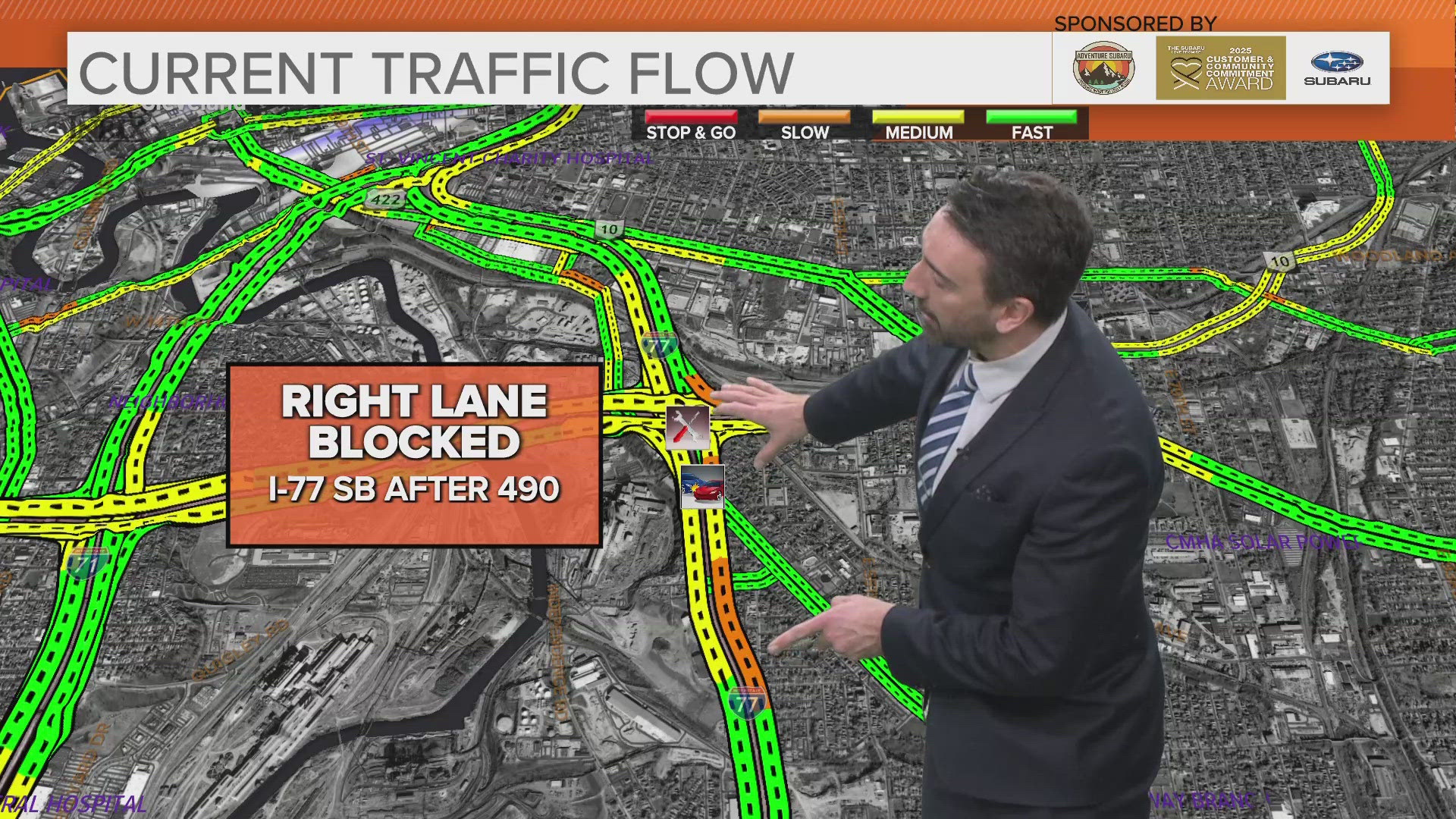
To see live traffic on a map, open a navigation or mapping app and turn on its traffic layer—often available through a Layers or Map settings button. Traffic is typically shown with colored lines to indicate road speeds, while icons may mark crashes, construction, or closures. Enter your destination to compare routes and estimated travel times, and allow location access if you want to view conditions near you. Check the map before driving, and if you need to adjust it while on the road, pull over safely first.
What are the current road conditions in Greensboro, NC?
Road conditions in Greensboro, NC, can change quickly due to traffic, construction, crashes, and weather. For the latest updates, check a live navigation app or the North Carolina Department of Transportation’s NC 511 service before you travel, and review local weather alerts for possible hazards. If you’re already driving, keep your attention on the road and pull over safely before checking updates.
Is there traffic in my area right now?
To find out if there’s traffic in your area right now, check a live traffic map or navigation app using your current location. It may show congestion, crashes, construction, road closures, and estimated delays, though updates can vary by location and may not reflect conditions instantly. Review your route before you start driving, and if you need to check again, pull over safely first.