Route Management Software: A Smarter Way to Plan and Manage Routes
Whether a business operates a few service vehicles or a large delivery fleet, planning routes can quickly become complicated. Traffic, delivery windows, driver availability, vehicle capacity, and changing customer needs all affect what makes a route efficient. Route management software helps businesses organize these moving parts by planning, assigning, and monitoring routes with the help of digital tools.
What Is Route Management Software?
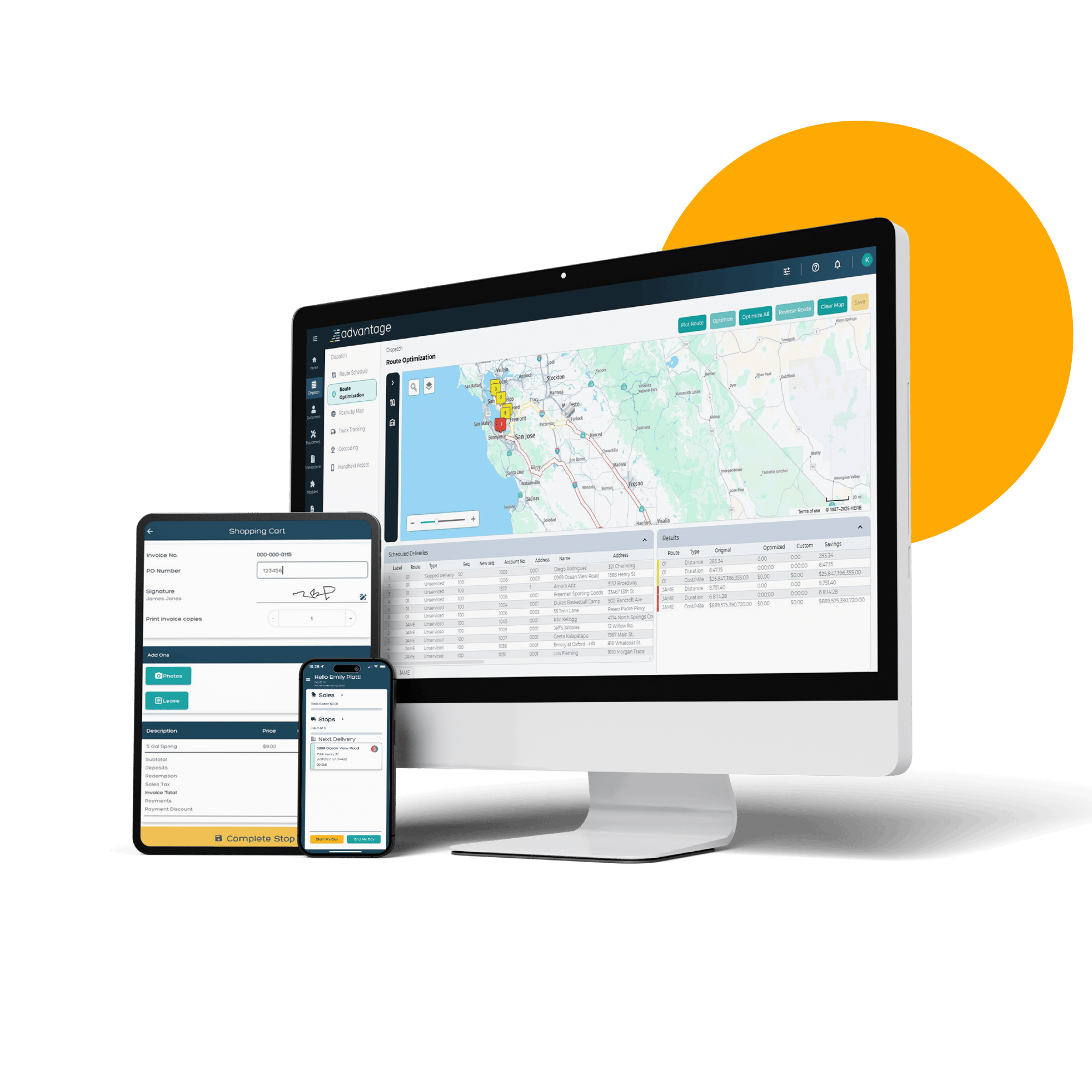
Route management software is a platform for planning and coordinating trips for drivers, delivery teams, field technicians, and other mobile workers. Depending on the system, it may create routes, assign stops, estimate travel times, share directions with drivers, and provide updates to dispatchers.
Some tools focus on route planning alone, while others bring together routing, dispatch, vehicle tracking, customer notifications, and performance reporting. The right option depends on a business’s operations, fleet size, and service needs.
How Route Management Software Works
A route management system typically uses information such as stop locations, appointment times, driver schedules, vehicle capacity, and road conditions to help build practical routes. A dispatcher may enter or import a list of stops, set constraints, and use the software to organize the work. Routes can then be assigned to drivers, who receive their schedules and directions through a web or mobile app.
As plans change, dispatchers may be able to adjust routes and communicate updates. Depending on the system and available data, route plans may account for factors such as traffic, restricted roads, operating hours, or time-sensitive deliveries.
Key Features to Look For
- Route planning and optimization: Organizes stops to help reduce unnecessary travel and make schedules more manageable.
- Scheduling and dispatch: Helps assign routes, drivers, and jobs from a central workspace.
- Mobile access: Gives drivers access to routes, stop details, and job instructions while on the road.
- Live updates: Supports communication between dispatchers and drivers when schedules or conditions change.
- Customer notifications: Can provide delivery or service updates, such as estimated arrival times, when supported by the platform.
- Reporting: Helps managers review route activity, completed stops, travel time, and other operational measures.
- Integrations: Connects routing tools with systems such as order management, customer relationship management, or fleet software.
Benefits for Businesses
More Efficient Planning
Planning routes manually can take significant time, especially when a schedule includes many stops or frequent changes. Software can help teams organize route details more quickly and apply consistent planning rules.
Better Visibility
When route information is shared across the office and the field, dispatchers can get a clearer picture of the day’s work. This can make it easier to respond to delays, missed appointments, or new requests.
Improved Customer Communication
Accurate schedules and timely updates can help set clearer expectations for customers. Some platforms support automated notifications, reducing the need for staff to provide every update manually.
More Consistent Operations
Route management software can help teams follow standard processes for assigning work, recording completed stops, and reporting exceptions. This is especially useful for businesses with multiple drivers or service areas.
Useful Operational Insights
Reports can help managers identify recurring delays, inefficient route patterns, or areas where schedules may need adjustment. Over time, these insights can support better planning and resource allocation.
Who Can Use Route Management Software?
Route management software can support many types of organizations, including:
- Delivery and courier companies
- Retailers and distributors
- Field service businesses
- Home healthcare providers
- Waste collection and maintenance teams
- Organizations coordinating sales or inspection visits
Even businesses with a small number of vehicles may benefit if they manage multiple daily stops, tight appointment windows, or frequent schedule changes.
How to Choose the Right System
Start by identifying the problems the software should solve. A business that mainly needs help building daily routes may not require the same features as one that also needs fleet tracking, customer messaging, and detailed reporting.
When comparing options, consider the following:
- How many vehicles, drivers, and stops the system can support
- Whether it can handle time windows, vehicle capacity, and other scheduling constraints
- How easy the software is for dispatchers and drivers to use
- Whether it works on the mobile devices your team already uses
- Which business systems it can connect with
- What reporting, support, security, and pricing options are available
A trial or product demonstration can help teams assess whether a platform fits their actual workflows. It is also useful to include drivers and dispatchers in the evaluation, since they will use the system every day.
Making Implementation Successful
Successful adoption involves more than installing software. Businesses should make sure that address, customer, vehicle, and schedule data are accurate before relying on the system. Clear training can help employees understand how to create routes, record completed stops, and report issues.
It can also help to introduce the software in stages. A pilot with one team or service area allows the business to identify workflow changes and address questions before expanding use across the organization. After launch, managers should review results and gather feedback so the system continues to meet operational needs.
Conclusion
Route management software gives businesses a practical way to plan routes, coordinate mobile teams, and keep work moving when conditions change. By choosing a system that matches their operations and supporting it with accurate data and employee training, organizations can improve visibility, streamline planning, and deliver a more consistent experience for customers.
7 Tips for Getting the Most Out of Route Management Software
- Choose software that fits your fleet size and needs.
- Use live traffic data to adjust routes.
- Group nearby stops to reduce travel time.
- Set realistic delivery windows.
- Track driver progress in real time.
- Review route performance regularly.
- Train staff on key features.
Choose software that fits your fleet size and needs.
Choose route management software that matches your fleet size and day-to-day needs. A small team may need only basic route planning and driver updates, while a larger fleet may benefit from dispatch tools, live tracking, reporting, and integrations with other business systems. Consider how many vehicles, drivers, and stops you manage, along with any special requirements such as delivery time windows or vehicle capacity. The right fit can help your team work efficiently without paying for features you don’t need.
Use live traffic data to adjust routes.
Use live traffic data to adjust routes as conditions change throughout the day. Real-time information about congestion, road closures, or delays can help dispatchers and drivers choose a more suitable path, update estimated arrival times, and keep schedules on track. When route management software provides traffic-aware recommendations, teams can respond faster instead of relying on plans that may already be outdated.
Group nearby stops to reduce travel time.
Group nearby stops together to reduce unnecessary driving and make routes more efficient. When planning a schedule, organize deliveries or service appointments by location, while still accounting for time windows, traffic, and vehicle capacity. Keeping stops in the same area together can help drivers spend less time crossing town and more time completing their work.
Set realistic delivery windows.
Set realistic delivery windows by accounting for more than the estimated drive time. Consider traffic patterns, loading and unloading, parking, service time at each stop, and the possibility of delays. When delivery windows are achievable, drivers can follow routes more safely, dispatchers can manage schedules with fewer disruptions, and customers receive more reliable arrival estimates. Use historical route data to refine your time estimates and adjust windows as conditions change.
Track driver progress in real time.
Track driver progress in real time to give dispatchers a clear view of routes as they unfold. With timely location and status updates, teams can spot delays, adjust plans when needed, and share more accurate arrival estimates with customers. Real-time tracking can also help managers identify bottlenecks and keep daily operations running smoothly.
Review route performance regularly.
Review route performance regularly to understand what’s working and where adjustments may help. Use your software’s reports to compare planned routes with actual travel times, completed stops, delays, and fuel use. Look for recurring bottlenecks or missed time windows, then update schedules, route settings, or driver assignments as needed. Regular reviews help keep routes efficient as traffic patterns, customer needs, and business operations change.
Train staff on key features.
Train staff on the route management software’s key features so they can use it confidently and consistently. Show dispatchers how to create and update routes, assign work, and review progress, and teach drivers how to access directions, view stop details, and report delays or completed jobs. Hands-on practice, quick reference guides, and time for questions can make adoption easier and help your team get more value from the software.