Best GPS Navigation: How to Choose the Right Option
The best GPS navigation depends on how you travel. A driver who wants a dedicated screen and dependable offline directions may prefer a standalone GPS unit. Someone who wants live traffic and frequent map updates may be better served by a navigation app. Hikers and cyclists often need a rugged device with long battery life and specialized maps.
Before choosing, consider where you travel, whether you need directions without cell service, and which features matter most. The right option should make it easier to plan a route, understand upcoming turns, and reach your destination with confidence.
What Makes GPS Navigation Useful?
GPS navigation uses signals from satellites to estimate your location. Many modern devices also use other satellite systems and location data to improve positioning. Navigation software combines your location with digital maps to provide routes and directions.
Features vary by device or app, but useful options may include:
- Turn-by-turn directions: Clear visual and spoken instructions help you follow a route.
- Offline maps: Downloaded maps can be valuable in areas with weak or unavailable mobile service.
- Traffic information: Live or periodically updated traffic data can help identify delays and alternate routes.
- Map updates: Current road information can help account for new roads, changed intersections, and closures.
- Points of interest: Search for places such as gas stations, restaurants, parking, and lodging.
- Easy-to-read displays: A clear screen and straightforward menus make navigation easier while traveling.
Standalone GPS Devices vs. Navigation Apps
Standalone GPS Devices
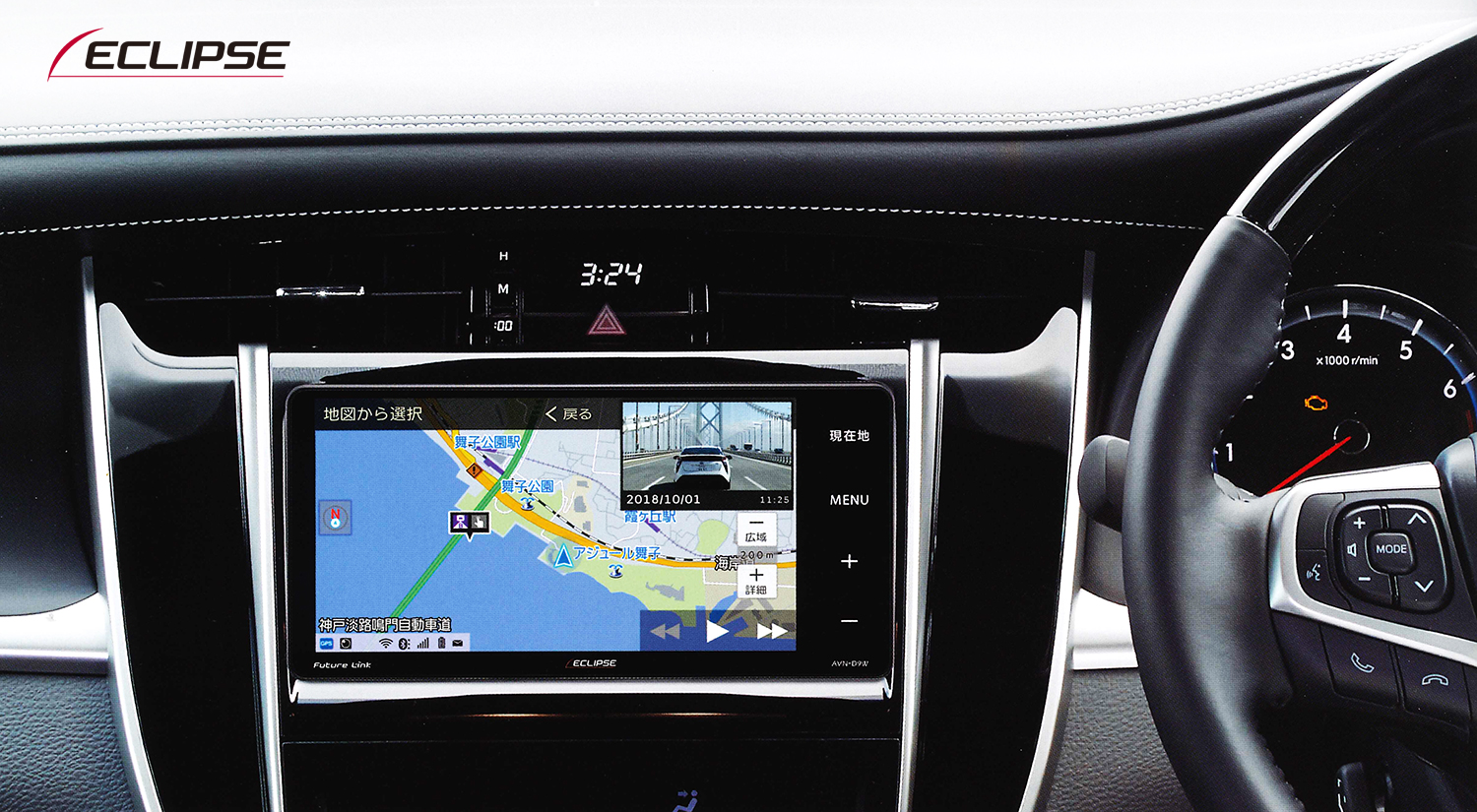
A dedicated GPS navigator is designed primarily for navigation. It may be a good fit for drivers who want a separate screen, prefer not to rely on a phone, or regularly travel where cellular coverage is limited. Some models offer offline maps, vehicle-specific routing, and traffic services, though features and update policies differ.
Before buying, check how maps are updated, whether traffic information requires a subscription or separate connection, and whether the device supports the vehicle type you drive. Mounting options and screen visibility are worth considering, too.
Navigation Apps
Phone-based navigation apps are convenient because they combine maps, directions, and other phone features in one place. Depending on the app, they may provide live traffic, route alternatives, and downloadable maps. Their performance can depend on phone battery life, data availability, app settings, and the quality of the map information.
If you plan to navigate offline, download the relevant map area in advance and confirm that the app supports offline routing there. A phone mount and vehicle charger can also make longer drives more convenient.
Choosing GPS Navigation for Different Trips
Everyday Driving
For commuting and local errands, look for simple directions, reliable search, and useful traffic information. A navigation app may be sufficient if you already use a smartphone mount. A standalone device can be preferable if you want a dedicated display.
Long Road Trips
For longer journeys, prioritize clear route guidance, dependable map updates, and the ability to find services along the way. Offline maps are especially useful when a route passes through remote areas. Check whether the system can recalculate routes if you miss a turn or encounter a road closure.
Commercial or Large Vehicles
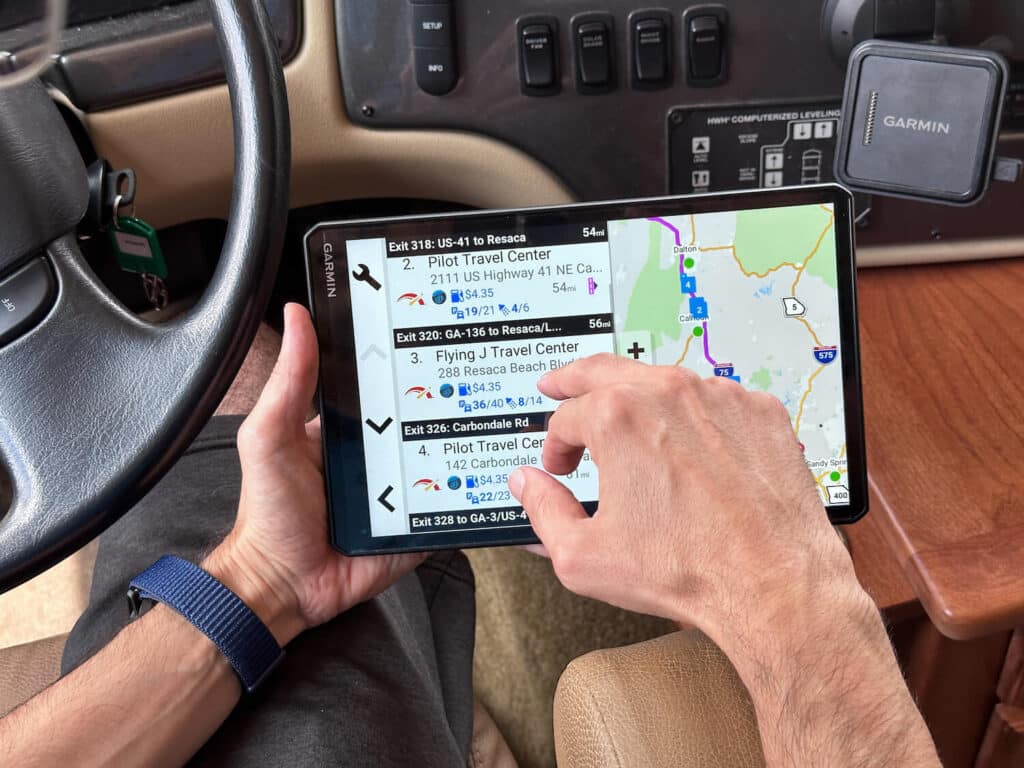
Drivers of trucks, RVs, or other large vehicles should look for routing options that account for vehicle dimensions and restrictions. Standard car routes may not reflect height, weight, or road limitations. Confirm that any device or service supports the vehicle category and routing details needed for your trips.
Hiking and Outdoor Activities
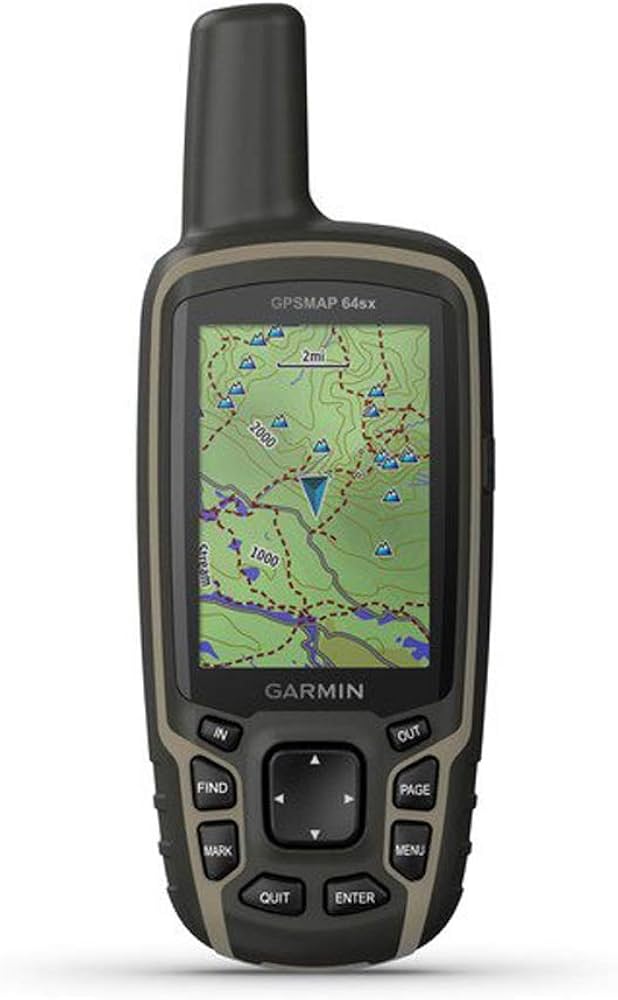
Outdoor navigation calls for different features than car navigation. Consider a handheld device or app with topographic maps, trail information, a durable design, and strong battery performance. Download maps before leaving and carry a backup navigation method when traveling in remote locations.
How to Compare GPS Navigation Options
Use these questions to narrow down your choices:
- Will you need navigation without a data connection? If so, check offline map coverage and whether routes can be calculated offline.
- How often do you travel? Frequent travelers may benefit from a dedicated device or a navigation service with the features they use most.
- Where will you use it? City driving, rural roads, hiking, and commercial routes have different mapping needs.
- How are maps and traffic updated? Review update frequency, connection requirements, and any recurring fees.
- Is it easy to use safely? Look for legible directions and controls that are simple to understand before you start driving.
- What will it cost over time? Consider the purchase price, subscriptions, accessories, and map-update costs.
Tips for More Reliable Navigation
- Update maps and software before a major trip.
- Download offline maps when traveling beyond reliable cellular coverage.
- Enter your destination and review the route before driving.
- Use a secure mount and keep the screen positioned without obstructing your view.
- Follow road signs and local rules, even if they differ from a navigation instruction.
- Keep a paper map or another backup option for remote trips.
Finding the Best GPS Navigation for You
There is no single best GPS navigation system for every traveler. A phone app may be the most convenient choice for daily driving, while a standalone navigator can suit drivers who want a separate screen or offline capability. Outdoor users and commercial drivers may need specialized maps and routing features.
Start with your typical routes and travel conditions, then compare map coverage, offline support, traffic features, ease of use, and ongoing costs. Choosing navigation that fits the way you travel can make trips easier to plan and help you stay oriented along the way.
Top 5 Benefits of Using the Best GPS Navigation Systems
- Provides clear turn-by-turn directions.
- Helps find efficient routes.
- Can show live traffic and delays.
- Offline maps work without cellular service.
- Makes unfamiliar trips easier to navigate.
6 Drawbacks of GPS Navigation: Reliability, Costs, and Safety Concerns
- GPS signals can be unreliable indoors or in remote areas.
- Live traffic features may require cellular service.
- Some devices charge extra for map updates or subscriptions.
- Phone navigation can drain battery quickly.
- Maps may not reflect recent road changes.
- Following directions can distract drivers.
Provides clear turn-by-turn directions.
One of the biggest advantages of the best GPS navigation systems is clear, turn-by-turn directions. Spoken prompts and easy-to-read visual cues tell you when to turn, which lane to use, and what to expect next, helping you stay on track without constantly checking a map. This guidance can make unfamiliar routes less stressful and help you keep your attention on the road.
Helps find efficient routes.
One of the biggest advantages of GPS navigation is its ability to help you find efficient routes. By considering your destination, current location, and available road information, a navigation system can suggest a practical path and may offer alternatives when traffic or road conditions change. This can help reduce unnecessary detours, save time, and make everyday drives or long trips easier to plan.
Can show live traffic and delays.
One of the biggest advantages of GPS navigation is its ability to show live traffic and delays. By highlighting congestion, accidents, road closures, or construction, it can help you adjust your route before you get stuck in traffic. Some systems also suggest alternate routes and update directions as conditions change, making it easier to plan your trip and avoid unexpected slowdowns.
Offline maps work without cellular service.
One of the biggest advantages of GPS navigation with offline maps is that directions remain available even when cellular service is weak or unavailable. Downloading maps before a trip can help you stay on course in rural areas, remote destinations, or places with spotty coverage, without relying on mobile data.
Makes unfamiliar trips easier to navigate.
The best GPS navigation makes unfamiliar trips easier by providing clear, turn-by-turn directions and helping you understand what to expect along the route. Instead of constantly checking a map or worrying about missing a turn, you can focus on the road while your device guides you toward your destination. Features like lane guidance, landmarks, and route updates can make new roads and complex intersections feel more manageable.
GPS signals can be unreliable indoors or in remote areas.
One drawback of GPS navigation is that signals can be unreliable indoors or in remote areas. Buildings, tunnels, dense tree cover, mountains, and limited satellite visibility may weaken a device’s connection, causing your location to update slowly or appear inaccurate. In places with little or no cell service, some navigation features—such as live traffic and online search—may also be unavailable, so downloading offline maps and carrying a backup map can be helpful.
Live traffic features may require cellular service.
One drawback of GPS navigation with live traffic is that it may depend on a cellular connection to receive current road conditions, delays, and route updates. In areas with weak or no service, traffic information may be unavailable or outdated, so the system might not suggest the fastest alternative. Downloading offline maps can help you keep navigating, but it may not provide real-time traffic updates.
Some devices charge extra for map updates or subscriptions.
One drawback of some GPS navigation devices is the added cost of keeping them up to date. Map updates, live traffic information, and other features may require a subscription or separate fee, increasing the total cost over time. Before choosing a device, check which services are included, how often maps are updated, and whether recurring charges apply.
Phone navigation can drain battery quickly.
Phone navigation can drain your battery quickly, especially when the screen stays on, GPS is active, and the app uses mobile data for live traffic or map updates. On long trips, this may leave you with little power for calls or other essential tasks. Downloading maps ahead of time, lowering screen brightness, and using a car charger can help conserve battery.
Maps may not reflect recent road changes.
One drawback of GPS navigation is that maps may not reflect recent road changes. New streets, construction zones, closures, and updated traffic patterns can take time to appear in a device or app, so directions may be outdated or send you along an inconvenient route. Check road signs and local guidance, especially in construction areas, and update your maps regularly when possible.
Following directions can distract drivers.
One drawback of GPS navigation is that following directions can distract drivers, especially when they need to look at a screen, adjust settings, or interpret complicated instructions. Even brief glances away from the road can reduce awareness of traffic, pedestrians, and changing conditions. Set your destination before driving, use clear voice guidance when available, and pull over safely before making adjustments.