How to Choose the Best Handheld GPS Navigator
The best handheld GPS navigator is one you can rely on in the places you go. For a day hike, that may mean a lightweight device with long battery life and simple controls. For backcountry trips, hunting, boating, or remote travel, you may want detailed maps, a rugged design, and communication features. Comparing how you plan to use a GPS is the best way to find a model that fits.
What Is a Handheld GPS Navigator?
A handheld GPS navigator is a portable device that uses satellite signals to estimate your location and help you navigate. Many models can record tracks, save waypoints, display topographic maps, and guide you along a route. Unlike a smartphone, a dedicated GPS device is often built for outdoor conditions and can work without cellular service, though map access and some features vary by device.
Features to Look For
Satellite reception and positioning
Look for a device that supports reliable positioning in the environments where you travel. Reception can be affected by terrain, trees, buildings, and weather conditions. Some units can use multiple satellite systems, which may help them find a position in challenging areas.
Maps and navigation tools
Check what maps are included and whether you can add or update maps. Topographic maps are useful for hiking, while road, waterway, or land-management maps may be more appropriate for other activities. Helpful navigation tools can include route planning, waypoint marking, track recording, and a digital compass.
Battery life and power options
Battery life matters when you’re away from a charger. Compare the manufacturer’s stated battery life, keeping in mind that frequent screen use, navigation, and wireless features can reduce it. A device with replaceable batteries or a convenient charging option can be useful on longer trips.
Durability and weather resistance
Outdoor equipment may be exposed to rain, dust, drops, and temperature changes. Choose a rugged device with a water-resistance rating suited to your activities. A screen that remains readable in bright sunlight and buttons that are easy to use with gloves can also make a difference.
Screen and controls
A larger, high-resolution screen can make maps easier to read, but it may add weight and use more power. Touchscreens can feel familiar, while physical buttons may be easier to operate in wet or cold conditions. Consider trying the controls before buying if possible.
Emergency and communication features
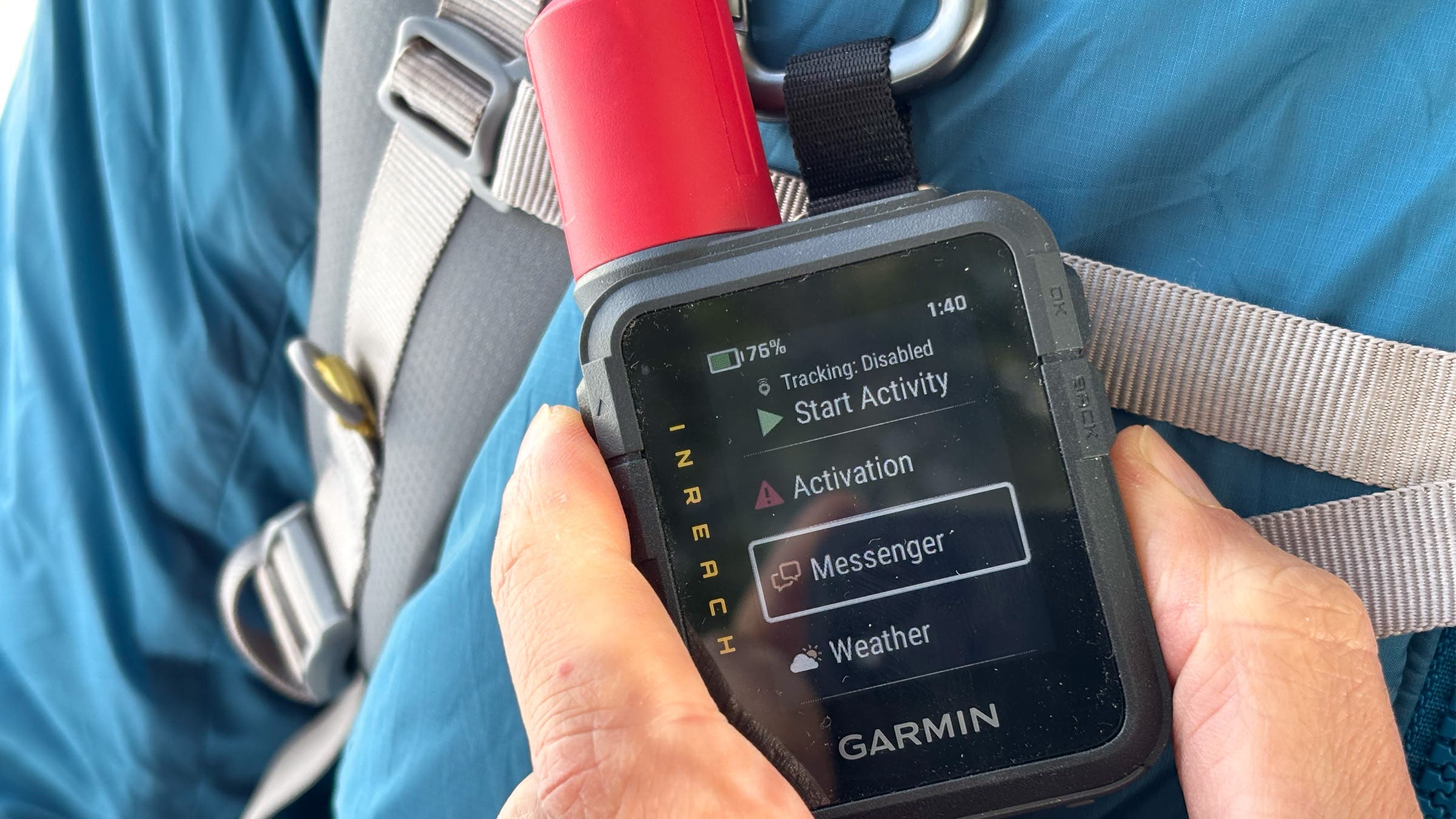
Some handheld navigators pair with satellite messengers or offer two-way messaging and SOS functions through a subscription service. These features can provide an additional way to communicate outside cellular coverage. Review the coverage, subscription terms, and emergency procedures before relying on them.
Match the GPS to Your Activity
- Hiking and backpacking: Prioritize dependable navigation, topographic maps, long battery life, and a lightweight build.
- Hunting: Look for clear mapping, waypoint and track tools, durable construction, and controls that are easy to use quietly.
- Boating: Choose a device designed for marine use, with appropriate water resistance and compatible chart options.
- Geocaching: A simple interface, accurate waypoint tools, and support for geocache information may be especially useful.
- Remote trips: Consider satellite communication or SOS capability, along with backup power and detailed offline maps.
Handheld GPS vs. Smartphone Navigation
A smartphone can be an excellent navigation tool, especially when you download maps for offline use. It may also offer a larger screen and familiar apps. However, phones can be more vulnerable to water, impacts, cold, and battery drain. A dedicated handheld GPS is often a better choice for extended trips or demanding conditions, while a phone can work well for shorter outings and as a backup.
For important trips, carrying both can provide useful redundancy. Keep your phone protected and bring a paper map and compass when appropriate. No electronic device replaces basic navigation skills or careful trip planning.
Tips for Using a Handheld GPS Navigator
- Set it up before you leave. Update software and maps, learn the controls, and check that the coordinate format matches any information you’ll use.
- Download maps in advance. Do not assume you will have internet access in the field.
- Save key waypoints. Mark trailheads, campsites, parking areas, and other important locations.
- Manage power. Lower screen brightness, carry spare batteries or a power bank, and know how to use the device’s battery-saving settings.
- Practice navigation. Learn how to follow a route, return to a saved location, and interpret the map before you depend on the device.
- Bring a backup. Carry a map and compass and know how to use them, especially in remote areas.
Frequently Asked Questions
Do handheld GPS navigators work without cell service?
Most handheld GPS units can determine their position using satellite signals without cellular service. However, maps, messaging, weather information, and other features may require downloaded data, a compatible accessory, or a subscription.
Are handheld GPS devices more accurate than phones?
Accuracy depends on the device, satellite reception, surroundings, and other conditions. A dedicated GPS may offer features and durability better suited to outdoor navigation, but neither a phone nor a handheld unit can guarantee a precise position in every environment.
Is a satellite messenger the same as a GPS navigator?
No. A GPS navigator helps you determine where you are and plan or follow routes. A satellite messenger is designed to send messages or emergency signals beyond cellular coverage. Some products combine both types of features, but capabilities and service plans differ.
Finding the Best Handheld GPS for You
The best handheld GPS navigator is not necessarily the one with the most features. Start with your activities, then compare mapping options, battery life, durability, ease of use, and any communication needs. A well-chosen device—and the skills to use it—can make outdoor trips more confident and organized.
8 Tips for Choosing the Best Handheld GPS Navigator
- Choose multi-GNSS support for reliable positioning.
- Look for long battery life or replaceable batteries.
- Pick a sunlight-readable, glove-friendly screen.
- Check that maps work offline in your area.
- Choose a rugged, water-resistant model for outdoor use.
- Consider weight and size for comfortable carrying.
- Look for accurate waypoint, route, and track recording.
- Compare map updates, subscriptions, and total cost.
Choose multi-GNSS support for reliable positioning.
Choose a handheld GPS navigator with multi-GNSS support to improve positioning reliability in varied environments. These devices can receive signals from multiple satellite systems, such as GPS, Galileo, or GLONASS, giving them more satellites to work with when trees, steep terrain, or buildings obstruct the sky. Signal availability and accuracy still depend on conditions, but multi-GNSS support can help your navigator maintain a dependable position when you’re exploring off the beaten path.
Look for long battery life or replaceable batteries.
Look for a handheld GPS navigator with long battery life or replaceable batteries, especially if you plan to spend several hours—or multiple days—away from a power source. Keep in mind that features like frequent screen use, backlighting, and wireless connections can drain the battery faster than expected. Replaceable batteries or a portable charging option can help you stay prepared and keep navigating when recharging isn’t available.
Pick a sunlight-readable, glove-friendly screen.
Choose a handheld GPS navigator with a screen that’s easy to read in bright sunlight and simple to operate while wearing gloves. A high-contrast display can help you check maps without searching for shade, while responsive controls or large physical buttons make it easier to navigate in cold, wet, or rugged conditions. Before buying, consider how the screen performs outdoors and whether the controls suit the environments where you’ll use the device.
Check that maps work offline in your area.
Before choosing a handheld GPS navigator, confirm that its maps can be downloaded and used offline in the areas where you plan to travel. Coverage, map detail, and included regions vary by device, and some maps may require a separate purchase or subscription. Download the maps before your trip and check that trails, roads, or waterways are visible without an internet connection.
Choose a rugged, water-resistant model for outdoor use.
When choosing a handheld GPS navigator for outdoor adventures, look for a rugged, water-resistant model that can handle rain, dust, bumps, and the occasional drop. A durable design can help keep the device working in challenging conditions, while water resistance adds peace of mind on wet trails or near the water. Check the manufacturer’s water-resistance rating and care instructions to make sure the navigator is suitable for your activities.
Consider weight and size for comfortable carrying.
When choosing a handheld GPS navigator, consider its weight and size, especially if you’ll carry it on long hikes or trips. A compact, lightweight model is easier to stow in a pocket or pack and can reduce bulk, while a larger device may offer a more readable screen and easier-to-use controls. Look for a comfortable balance between portability and the features you need.
Look for accurate waypoint, route, and track recording.
Choose a handheld GPS navigator that accurately records waypoints, routes, and tracks. Waypoints help you save important locations, such as trailheads, campsites, or water sources; routes let you plan and follow a path; and track recording shows where you’ve traveled so you can retrace your steps. Before heading out, test these features and confirm you know how to save, review, and navigate to your recorded locations.
Compare map updates, subscriptions, and total cost.
Before choosing a handheld GPS navigator, compare more than the device’s upfront price. Check whether useful maps are included, how often map updates are available, and whether updates are free or require a purchase. Also review subscription fees for features such as satellite messaging, weather forecasts, or premium map access. Adding these costs over the time you expect to use the navigator can reveal the true total cost and help you choose a model that fits both your needs and your budget.